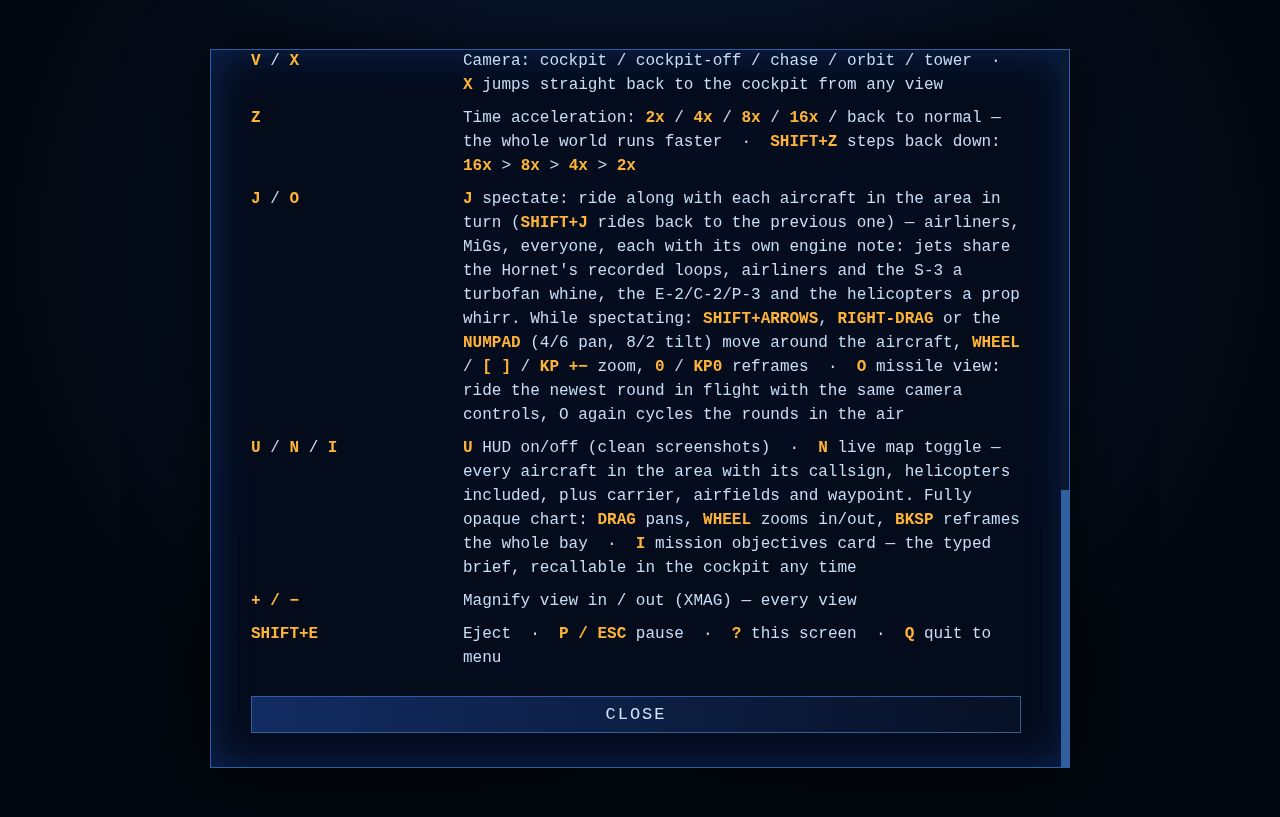
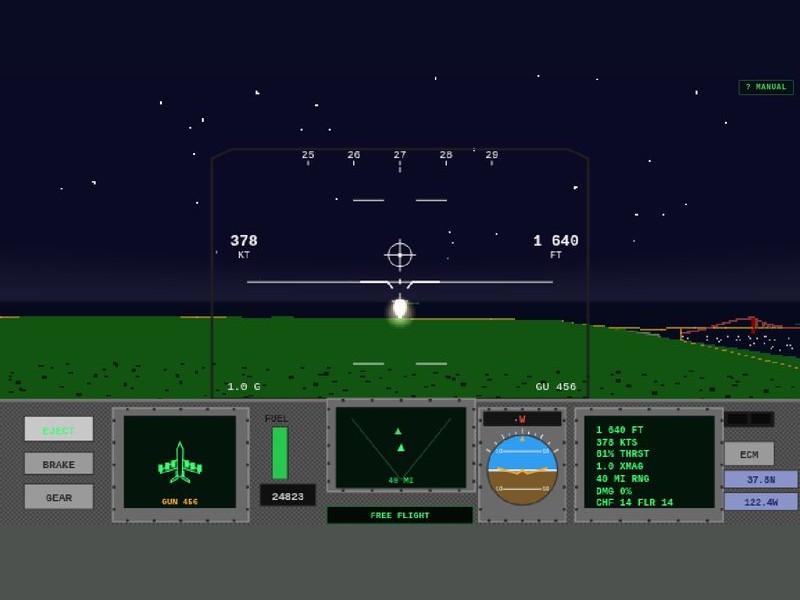
A small quality-of-life tune for the fast-forward crowd. The Z key still cycles time acceleration up through 2x · 4x · 8x · 16x and back to normal — but the 32x rung is gone. Past 16x the sim was stepping the world so many times per frame that a long transit ran hot for no real gain in getting-there.
Both directions on one key.SHIFT+Z steps back down the ring — 16x > 8x > 4x > 2x — so if you overshoot the rung you wanted you no longer have to lap the whole ladder to get back to it. Same convention as the spectate key: J rides forward, SHIFT+J rides back.
No fights with the burner. SHIFT is a hold-to-burn control, not a tap, so SHIFT+Z borrows it cleanly — same as SHIFT+J and SHIFT+E already do.
16x gets you across the bay in a hurry. 32x just got you past the checkpoint you meant to watch. — HB
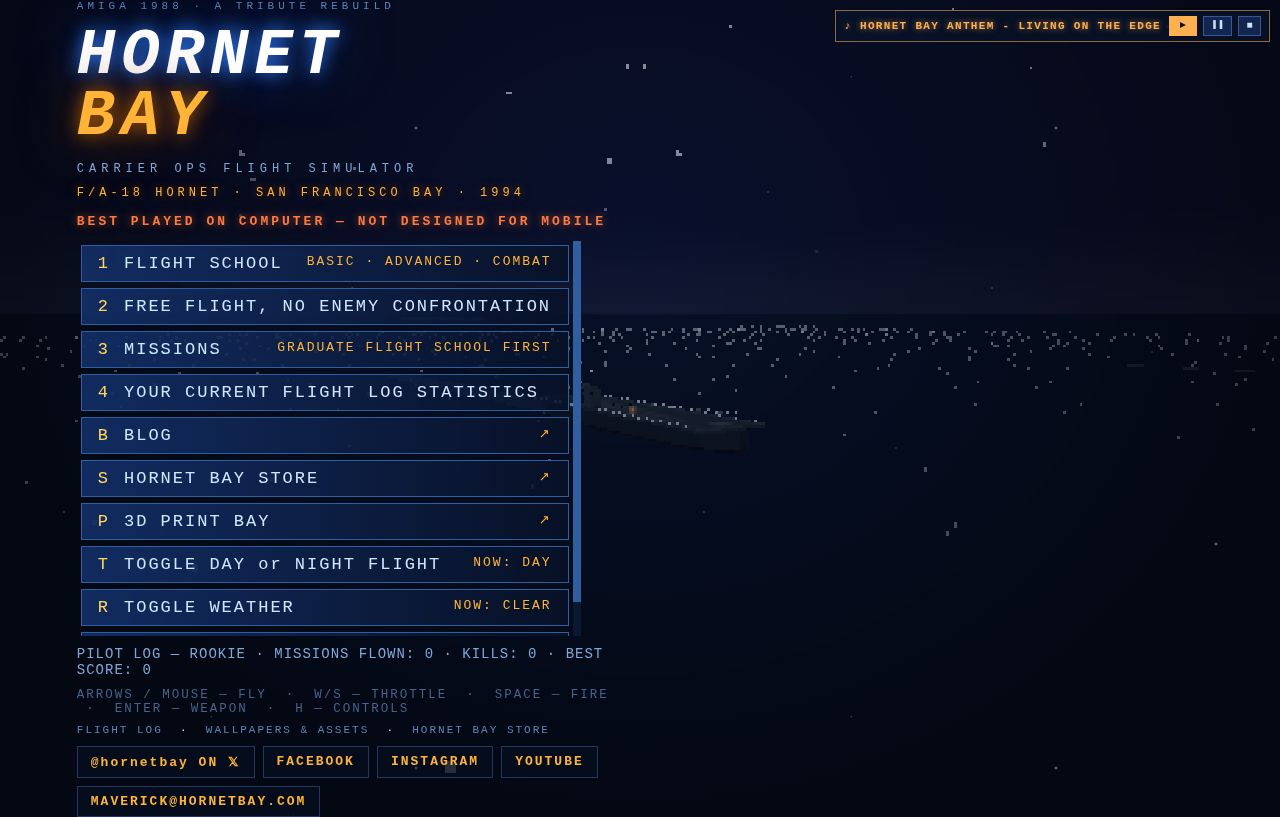
Hot on the heels of the briefing room’s large-print refit, the rest of the squadron’s paperwork follows. The main menu, the flight school syllabus, the mission board and the flight manual were all set in small type that made you lean into the monitor — the same complaint, the same fix.
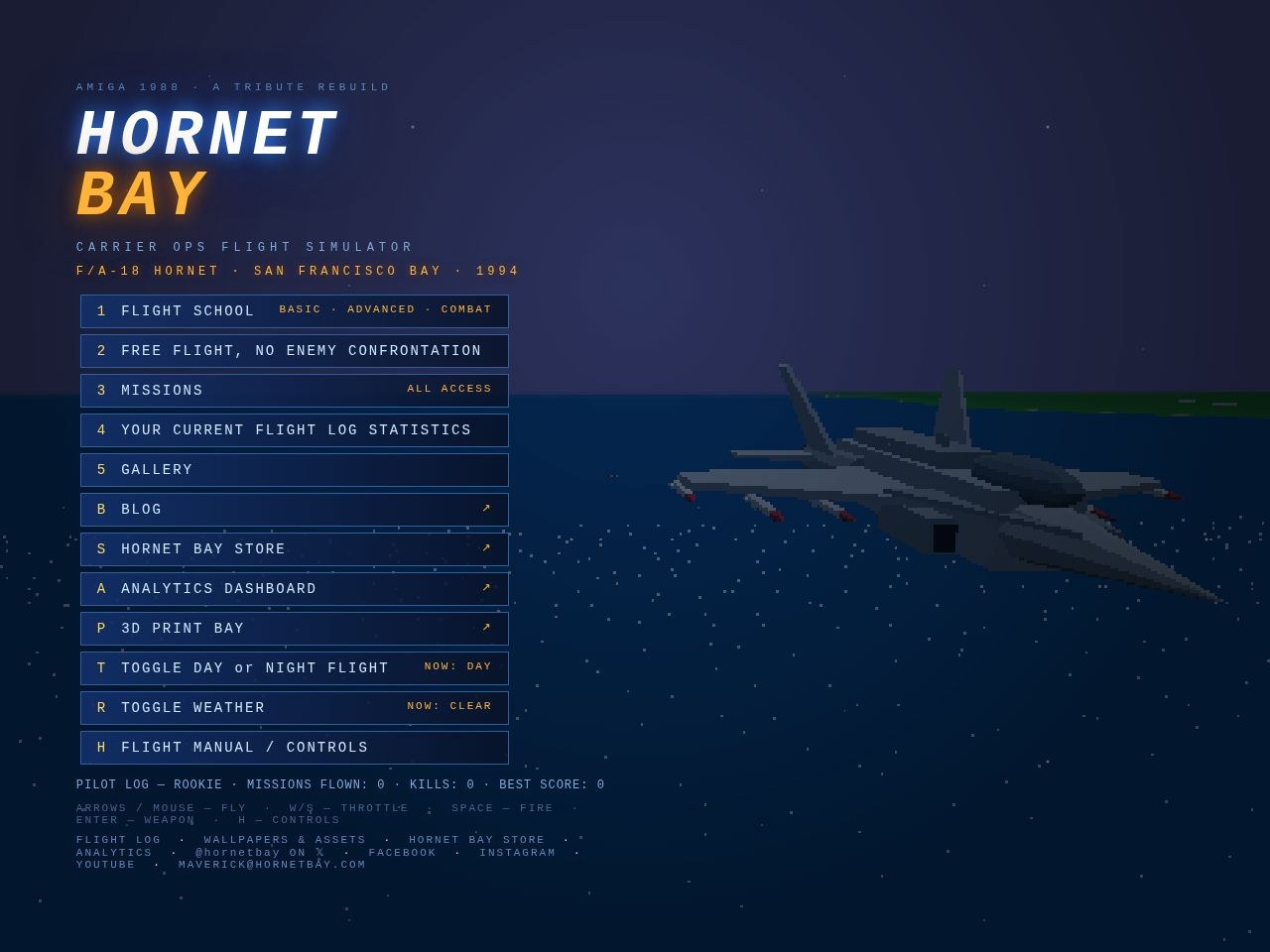
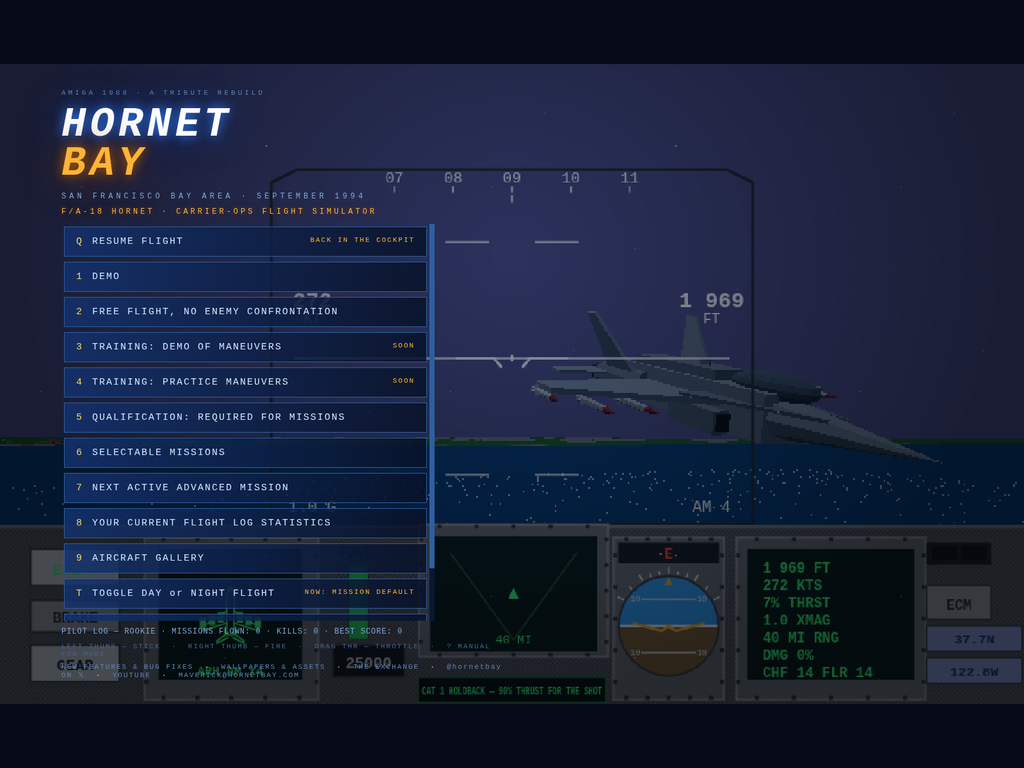
Main menu. Every item on the board is up from 14 to 17 pixels — FLIGHT SCHOOL, FREE FLIGHT, MISSIONS, the log, the toggles — with the pilot record and the key hints underneath bumped to match.
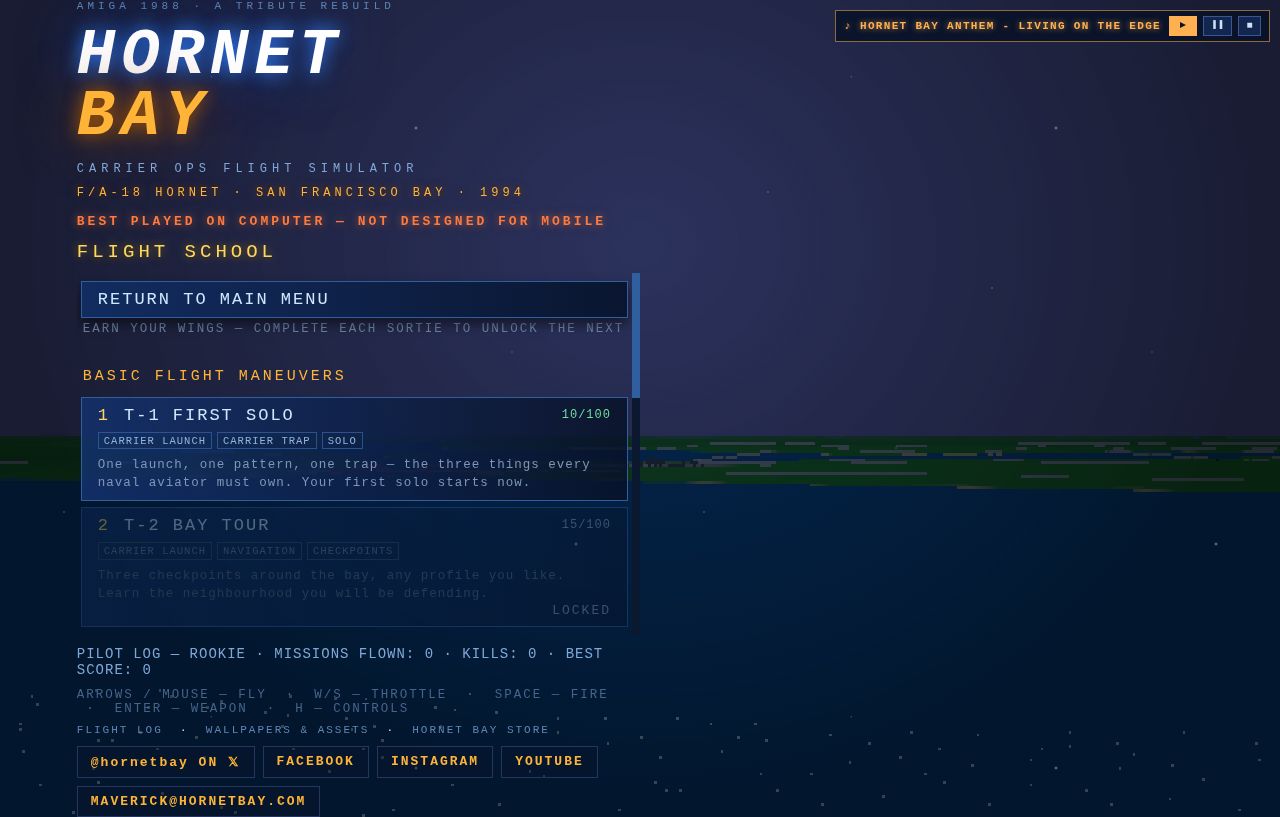
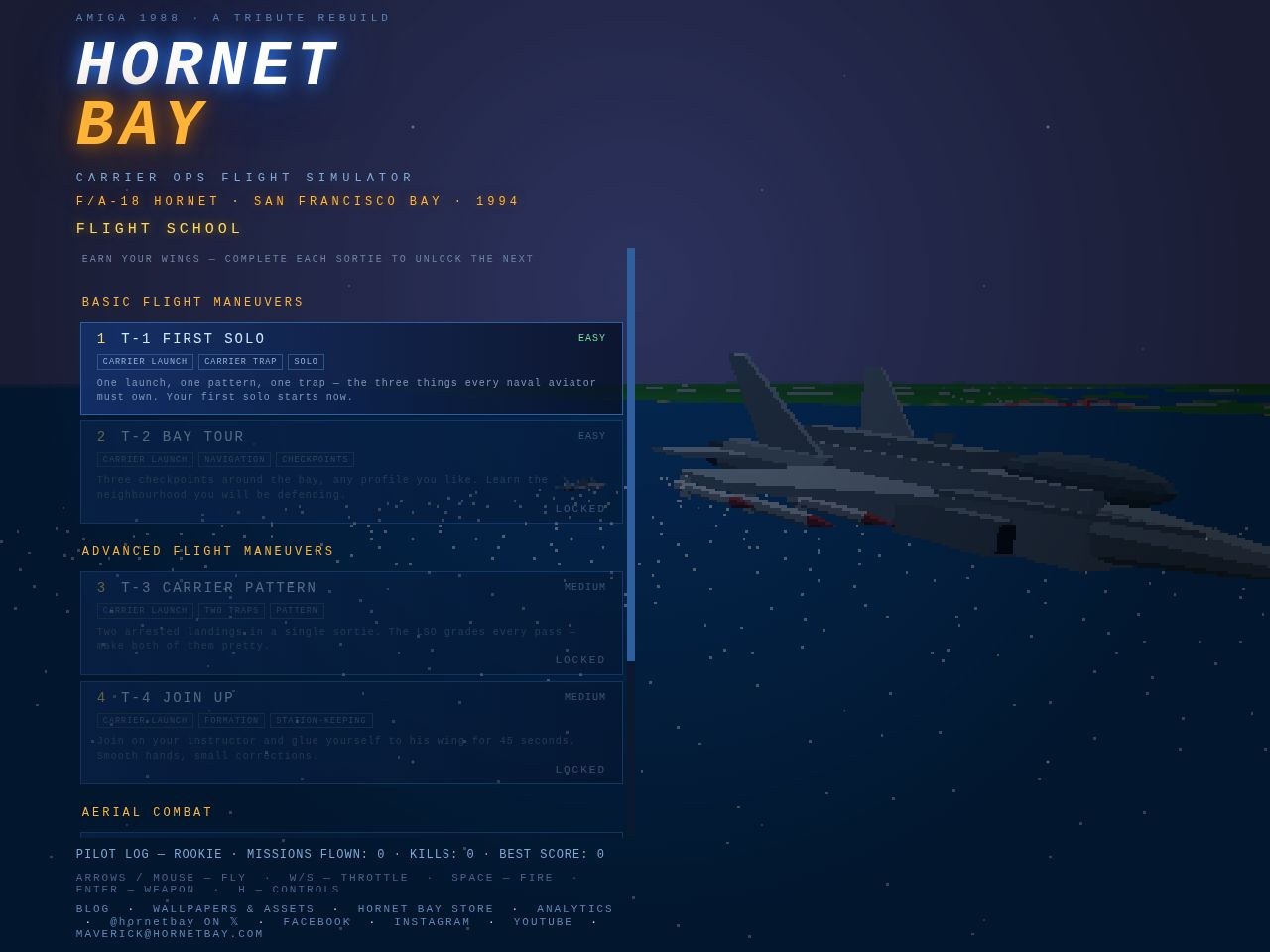
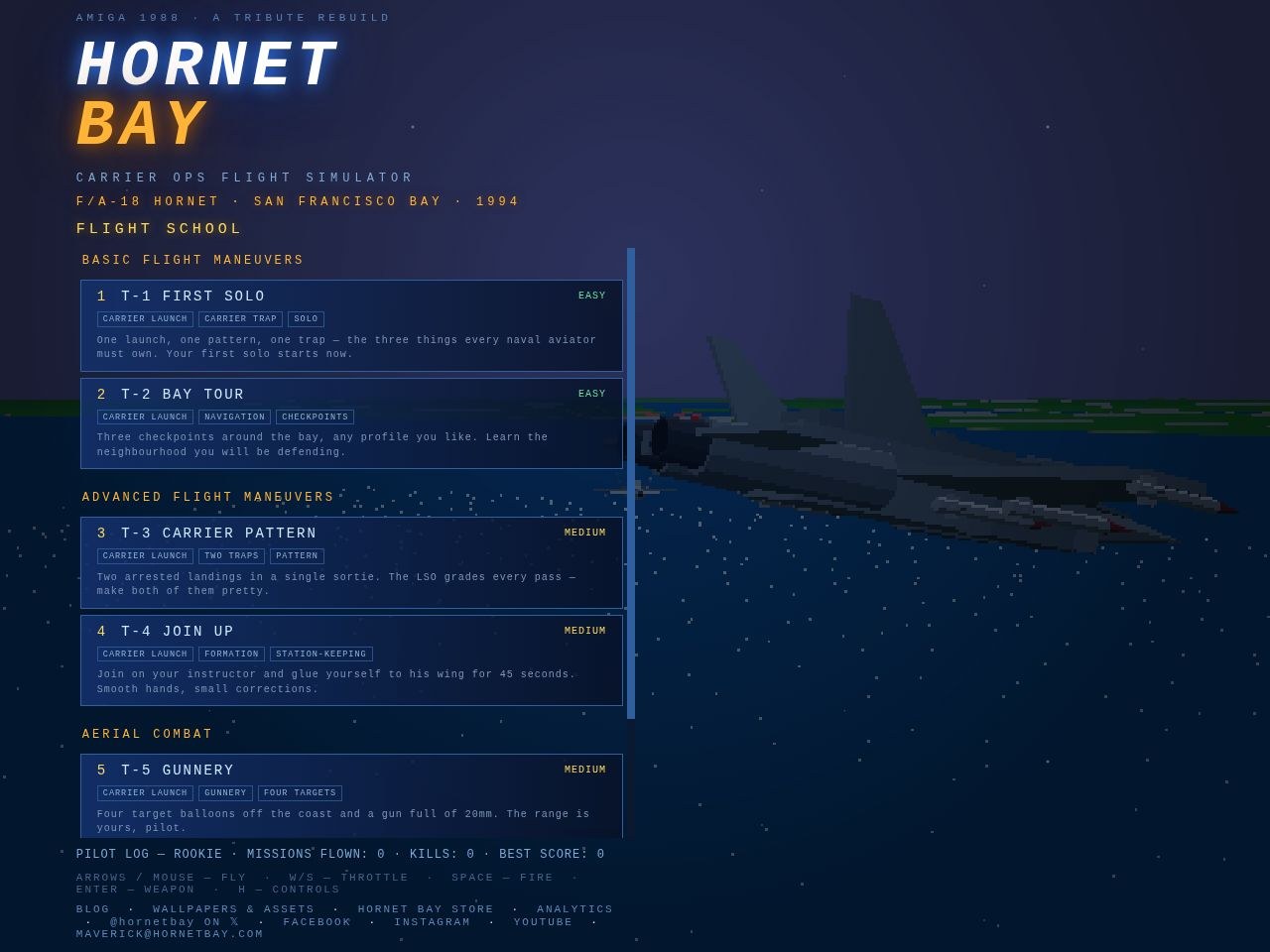
Flight school & missions. Sortie titles ride at the same 17, and everything under them grew with it: the one-line pitch on each sortie, the type/maneuver chips, the difficulty badges, the course headers and the unlock notices. The whole board scans the way a ready-room board should — from the back of the room.
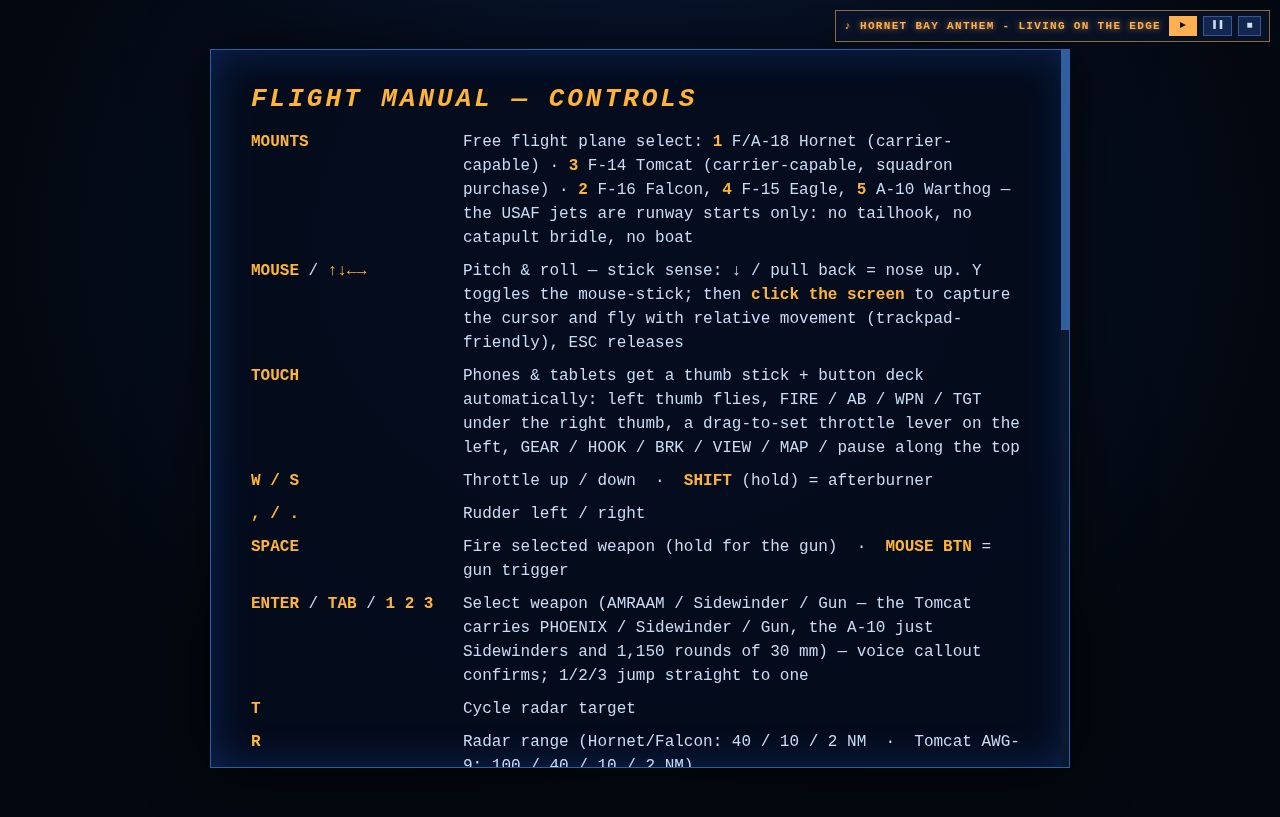
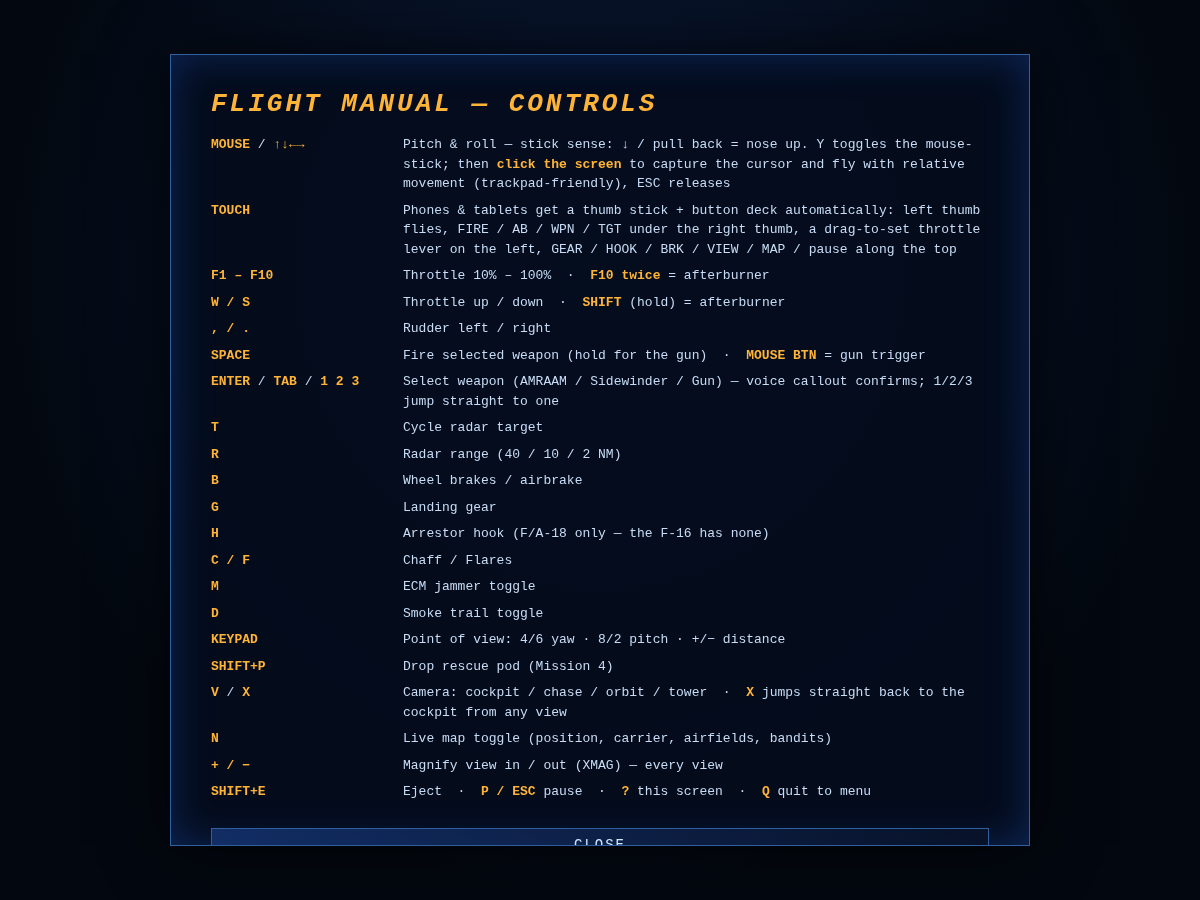
Flight manual. The controls grid goes from 13 to 16 pixels with a wider key column, so the bind and what it does are both readable without squinting. Every key, every mount, every camera trick.
The syllabus — titles, chips and pitches all sized up.The manual — every bind legible at arm’s length.
The list boards still scroll when they run long — the RETURN button stays pinned to the top, as always — but what’s on the glass now reads the way the Amiga original played on a living-room TV: big, bright, and impossible to misread. — HB
A full audit of every menu, sub-menu and page on the site — hunting for dead ends, clipped text, hidden keys and wandering navigation. Nine issues found, nine issues fixed:
In the cockpit
ESC was dead on the free-flight map. Pick FREE FLIGHT, change your mind — and there was no way back short of reloading. ESC now steps back to the menu.
ESC was dead on plane select. Same trap, one screen later. ESC now steps back one level: to the start-point map for free flight, to the menu for a mission (where BACK TO MISSION waits).
The plane-select line was clipped. Five jets and the toggles on one line ran clean off both edges of the screen — you literally could not see the F-16 or the Tomcat. The bar is now a three-row panel: two rows of aircraft, then TIME / WX / ESC, every option visible.
Every selection bar now says so:ESC — BACK rides the map select, plane select and briefing bars.
Main-menu keys renumbered and shown. The rows were bound to 1, 2, 6, 8, 9 — with the badges hidden, so three dead keys and no way to discover the live ones. Now 1–5, sequential, and every row wears its key like the sub-menus always did.
Mission keys every keyboard has. The board was bound F1–F16 — and F13–F16 don't exist on most keyboards, leaving four missions mouse-only. The board now runs 1–9, 0, A–F with badges shown; F1–F12 stay bound as silent aliases for anyone who learned them.
FLIGHT MANUAL wears its H.
On the site
One site ring on every page. Cross-links used to wander the headers — STORE · ASSETS here, STORE · ASSETS · PRINT there, nothing at all on the blog. Now all 209 pages carry the same row under the nav buttons: SQUADRON STORE · WALLPAPERS & ASSETS · 3D PRINT BAY · ANALYTICS, with the current section painted amber. It lives in the shared template, so every future page is born with it.
Sub-headings in posts are styled — amber, letter-spaced, on-guide — instead of falling back to browser defaults.
What survived the audit unchanged: the masthead stack, the two-button nav rail, the blurb sizes, the search rail, the tag cloud and the mobile stacking — all already in formation. One look, one feel, every page.
Two small fittings, both requested from the cockpit:
HOOK annunciator. The F/A-18 and the F-14 gain a fourth lamp in the left-hand stack — HOOK, amber when the tailhook is down, dim when stowed. On the ball you want to see it lit without thinking; USAF kit (F-16, F-15, A-10) keeps the honest three-button stack it always had.
KEYS / CONTROLS on the pause card. The pause menu now carries a straight route to the flight manual: PAUSED → KEYS / CONTROLS, read what you need, close it, and you land right back on the PAUSED card — no fumbling for the ? key with cold hands.
No more sampling the advanced courses on day one. Flight school is now a progressive syllabus: every sortie you pass chalks the lock off the next, from T-1’s first solo to the 1v1 graduation fight:
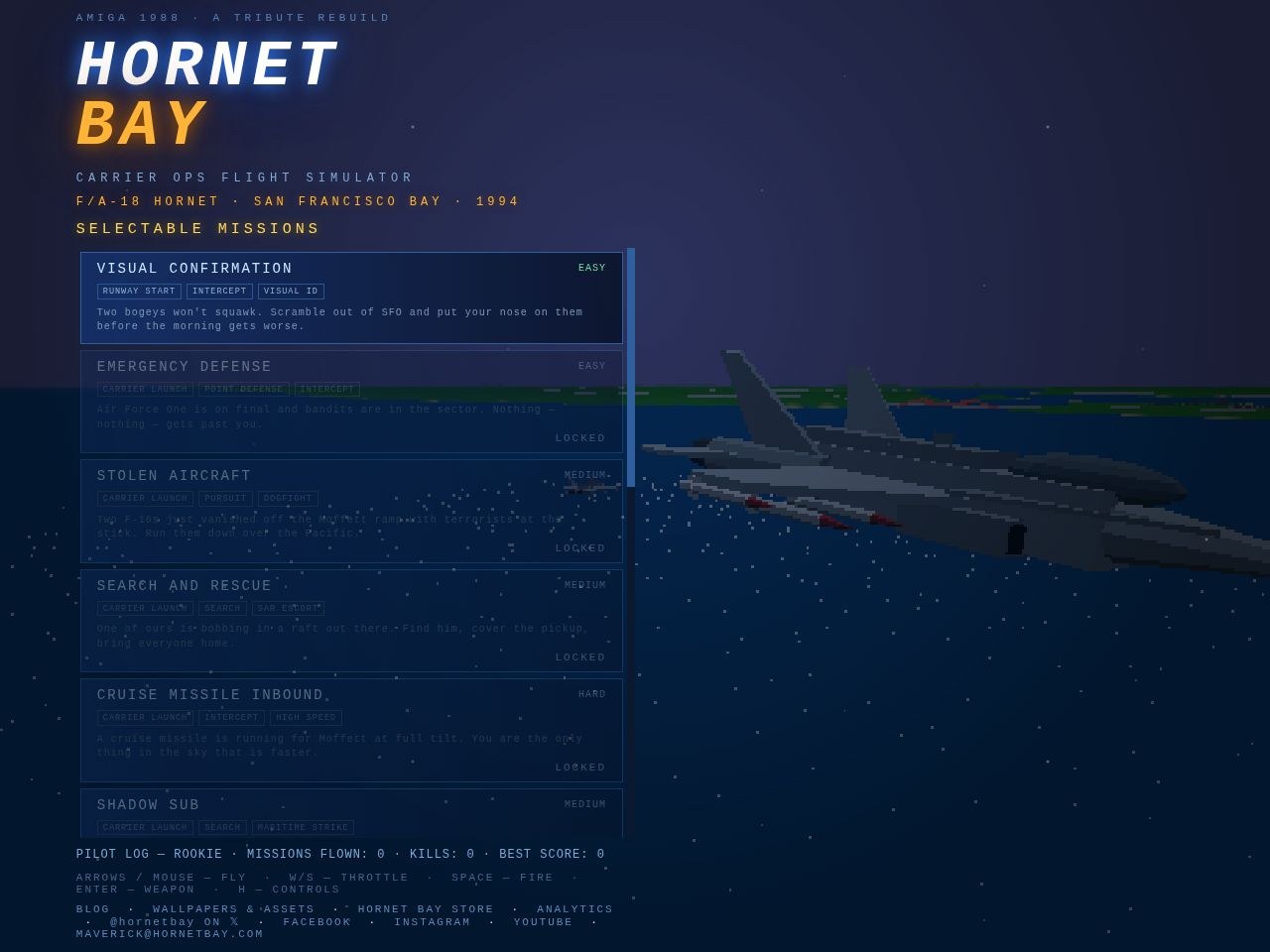
Sequential unlocks. FIRST SOLO opens the BAY TOUR, the tour opens CARRIER PATTERN, and so on up the ladder — BASIC into ADVANCED into AERIAL COMBAT. Each row shows its chips, hook and difficulty even while locked, so the syllabus still advertises what you’re earning toward.
Deep links play fair. A pasted #t5 from a friend lands on the school board with a LOCKED tag if you haven’t earned it yet — same honesty as the campaign ladder.
The board tells you the rule. A new line under the title reads it plain: EARN YOUR WINGS — COMPLETE EACH SORTIE TO UNLOCK THE NEXT.
Where is the training program? Top of the main menu, where it always should have been. FLIGHT SCHOOL opens a proper training board — three courses, six graded sorties, every one wearing its chips, difficulty and pitch like the campaign rows, and none of them gated: a fresh pilot walks in on day one.
BASIC FLIGHT MANEUVERS.T-1 FIRST SOLO — one launch, one pattern, one trap; the old carrier qualification, properly homed at last (it still pins QUALIFIED on your log). T-2 BAY TOUR — Golden Gate, downtown, Angel Island: three checkpoints, any profile you like, a bonus for under five minutes.
ADVANCED FLIGHT MANEUVERS.T-3 CARRIER PATTERN — two arrested landings in a single sortie; the boat counts your traps, bolters don’t count. T-4 JOIN UP — your instructor holds a lazy circle at Angels 2.5; glue yourself to his wing for 45 seconds.
AERIAL COMBAT.T-5 GUNNERY — four target balloons tethered off the coast, the fleet politely holding fire so every one is yours. T-6 DOGFIGHT 1V1 — a rated-but-fair aggressor, fights on, no help coming; splash him and you’re cleared for the campaign.
Deep links, of course.#school opens the board, #t1 through #t6 jump straight to each briefing, and old #qual bookmarks still land on T-1. ESC during any school sortie re-spots you on the catapult, same as free flight.
Title, chips, difficulty — and now the reason to fly it. Every row on the mission board carries a one-line hook under the tags, written like the back of a proper 1988 box:
“Night. A nuclear cruise missile at 800 knots. One pass — or one million souls.” — THE LAST INTERCEPT, and you already know why it wears the red EXPERT tag.
“Angels 34: sixty-one metres of spy camera drifting the coast. Climb high and pop the most famous balloon on Earth.” — THE SPY BALLOON.
“They killed your wingman. Four bandits between you and even. You know what to do.” — AVENGE VIPER TWO.
Thirteen rows: title, difficulty badge, three chips, one pitch. Locked sorties show their hooks dimmed — the board advertises the whole campaign even while it keeps you honest about earning it.
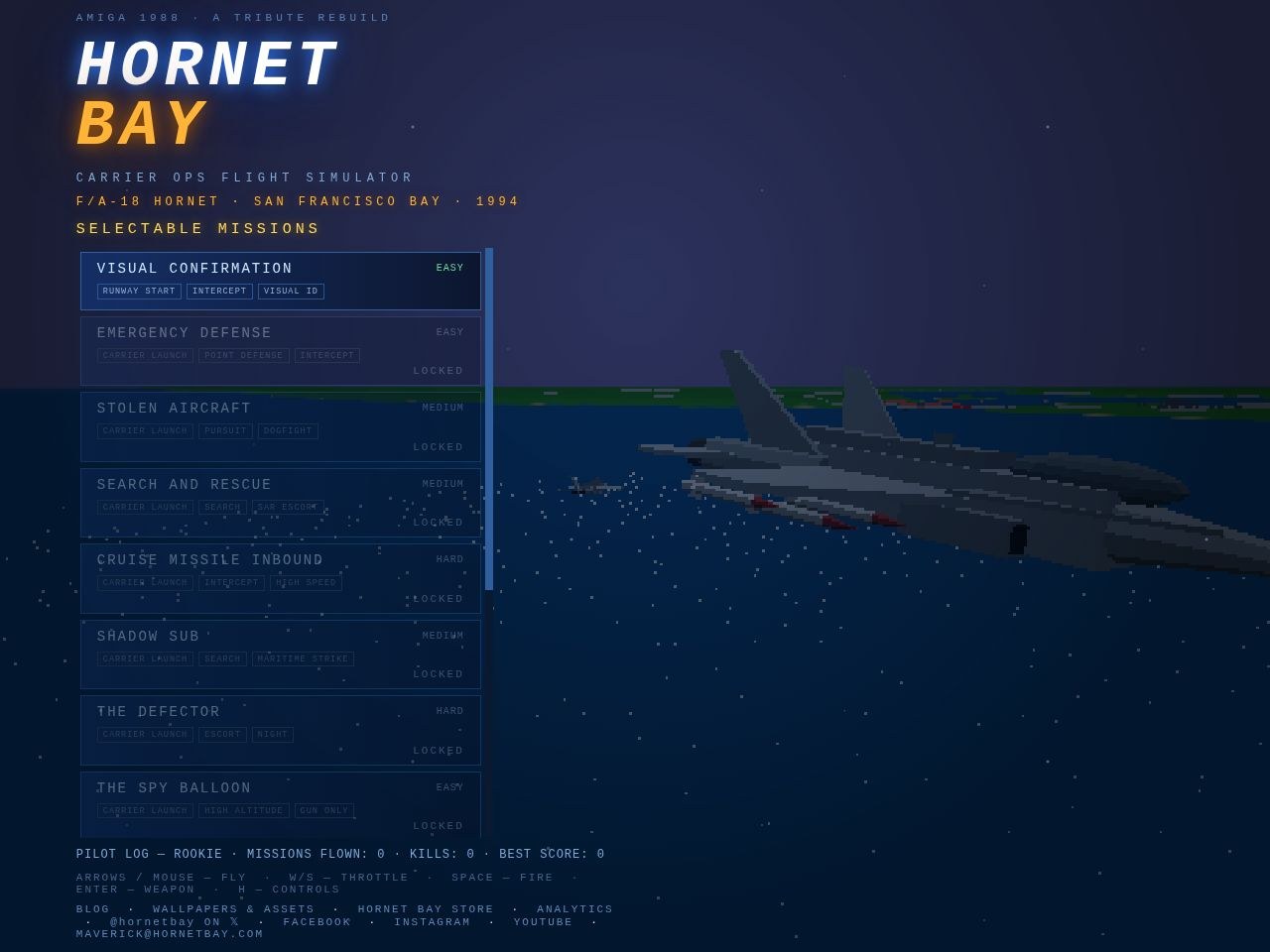
The difficulty tags were only the beginning. Every sortie on the mission board now wears a second line of type and maneuver chips under its title, so you know the shape of the fight before you ever read the brief:
How you start: CARRIER LAUNCH off the pointy end, or a RUNWAY START scrambling out of SFO like the original’s first mission.
What you do: INTERCEPT, PURSUIT, ESCORT, SEARCH, SWEEP, POINT DEFENSE, FLEET DEFENSE, MARITIME STRIKE, SAR ESCORT, VISUAL ID — the job, in one word each.
How it’s fought: DOGFIGHT, HIGH SPEED, HIGH ALTITUDE, LOW LEVEL, NIGHT, GUN ONLY — and ONE PASS for the sortie where there is no second run at the target. THE SPY BALLOON reads CARRIER LAUNCH · HIGH ALTITUDE · GUN ONLY; you already know the whole sortie.
Thirteen rows, three chips each, difficulty badge on the right — the board is a menu, a syllabus, and a warning label all at once.
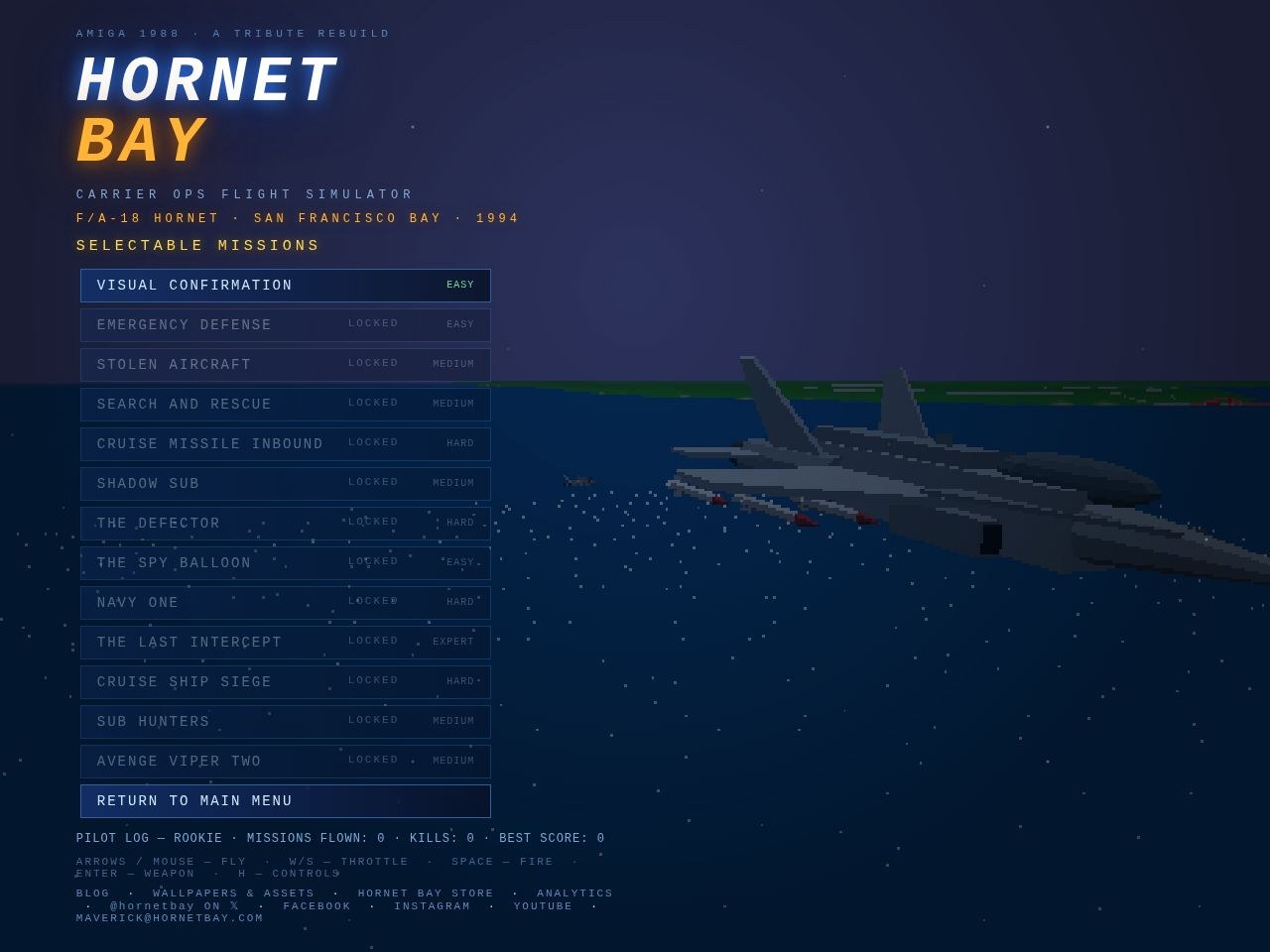
Every sortie on the mission board now carries a difficulty tag down the right edge — a fixed column you can scan like the fuel gauge:
EASY in green — VISUAL CONFIRMATION, EMERGENCY DEFENSE, and the balloon: solo work against the forgiving end of the threat library.
MEDIUM in amber — the runaway Hornet, the raft search, the sub shadow, SUB HUNTERS and AVENGE VIPER TWO: shooting may be involved, but the odds are yours.
HARD in orange — the missile intercepts, the defector, NAVY ONE and the siege: bring the whole envelope.
EXPERT in red — THE LAST INTERCEPT alone wears it: night, four hundred metres a second, aces on escort, one pass. You were warned.
The tags dim with the row while a sortie is still locked, so the ladder reads honest for a fresh log: green first, red when you’ve earned it.
Four small fittings, the kind you notice the first time you reach for them:
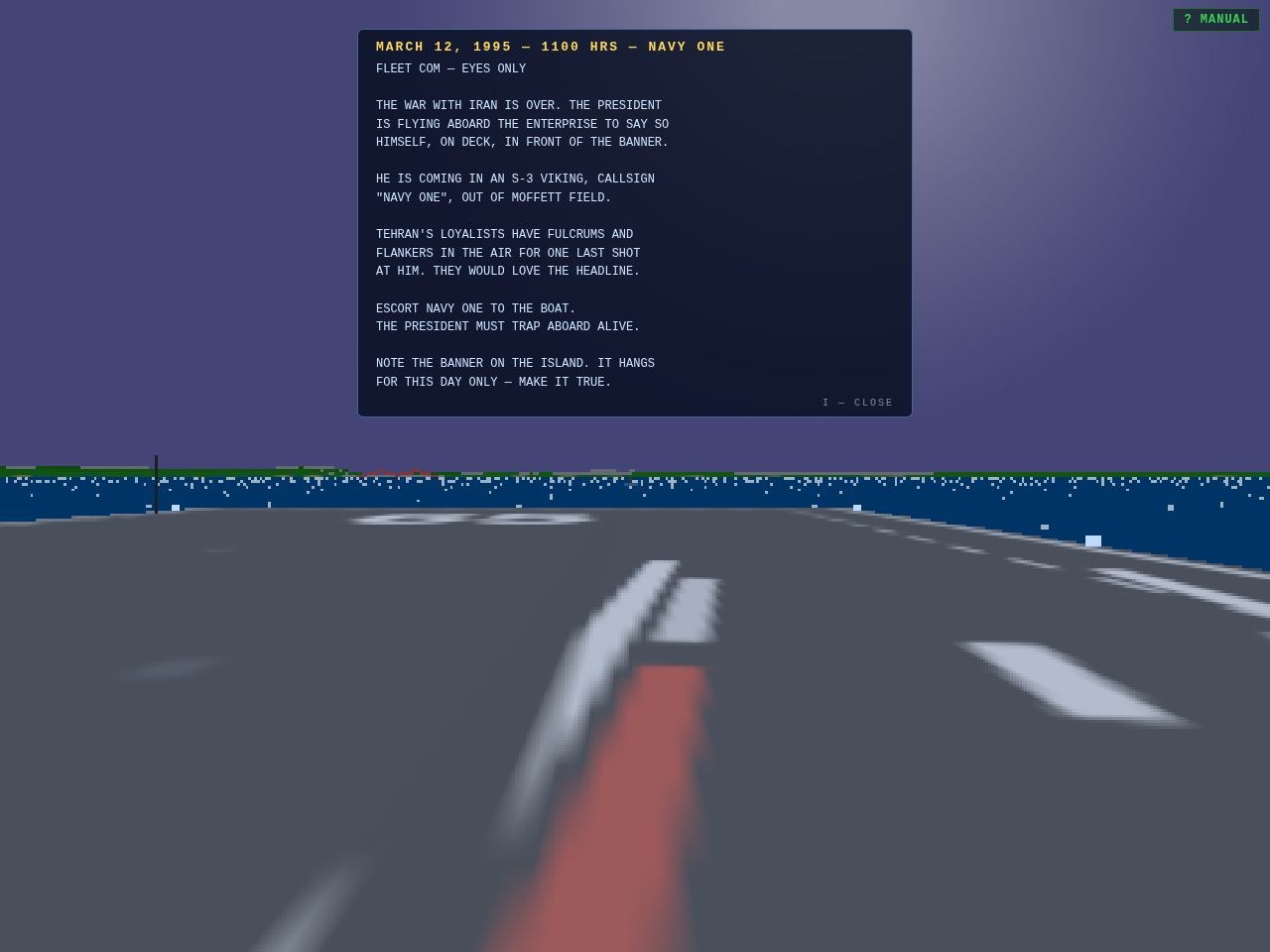
I recalls the brief. The full typed briefing — the one from the ready-room card — is now one keypress away at any point in the sortie. Objective, threat, the fine print about the banner on the island. I again puts it away.
The journal is searchable. A search box rides the blog menu — type “seahawk” and the eighty-nine entries narrow to the seven that matter. The query lives in the address hash and works with the tag filters, so #q=seahawk is a link you can paste to a friend.
Every gallery asset is a URL. Click any aircraft or vessel in the showroom and the address bar tracks you — #gallery/av8b opens the Harrier directly, step controls and all, and a bad slug falls back to the menu instead of a blank floor. Every model on the floor is now a link you can share.
The log remembers honestly. Campaign progress, unlocks and stats persist per pilot — and a fresh log starts at the first briefing, not mid-campaign.
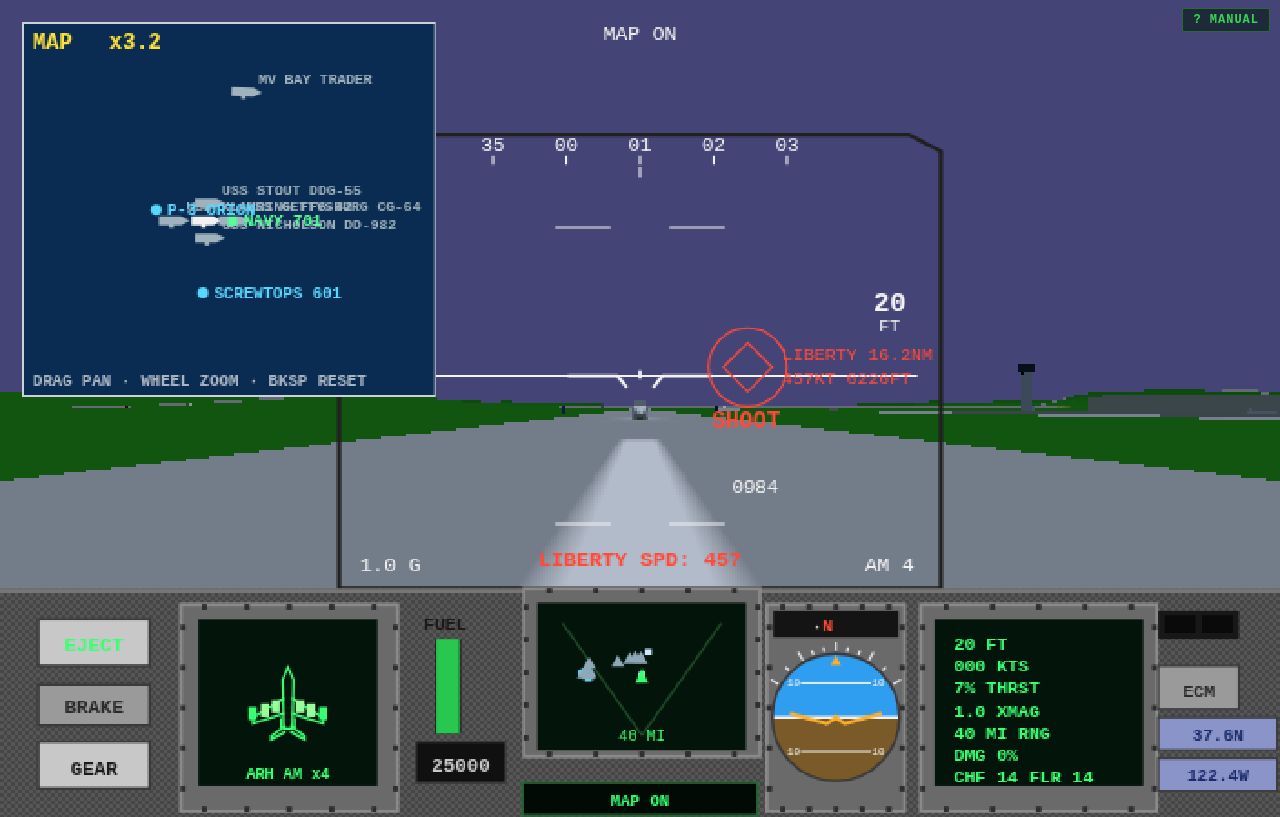
The tactical map (N) was always the whole bay or nothing, drawn at eighty-eight percent over the world — the sea shimmered through the chart like a double exposure. Both fixed:
Drag to pan. Grab the chart with the mouse and pull it where you want it; the window slides over the whole 115-by-104-kilometre sheet. The gun politely stays silent while you’re dragging the map — no accidental bursts mid-brief.
Wheel to zoom. Roll in up to twelve times closer for a proper look at the group: here’s GETTYSBURG, STOUT and NICHOLSON in formation with the carrier, SCREWTOPS 601 on station to the west. The zoom factor shows top-left; markers clip neatly to the chart edge.
BACKSPACE reframes the whole bay in one tap.
Fully opaque. The chart now draws solid — sea blue and land green, nothing bleeding through from the world behind it.
Three refinements this push, one of them thanks to a sharp-eyed squadron historian with a diecast model:
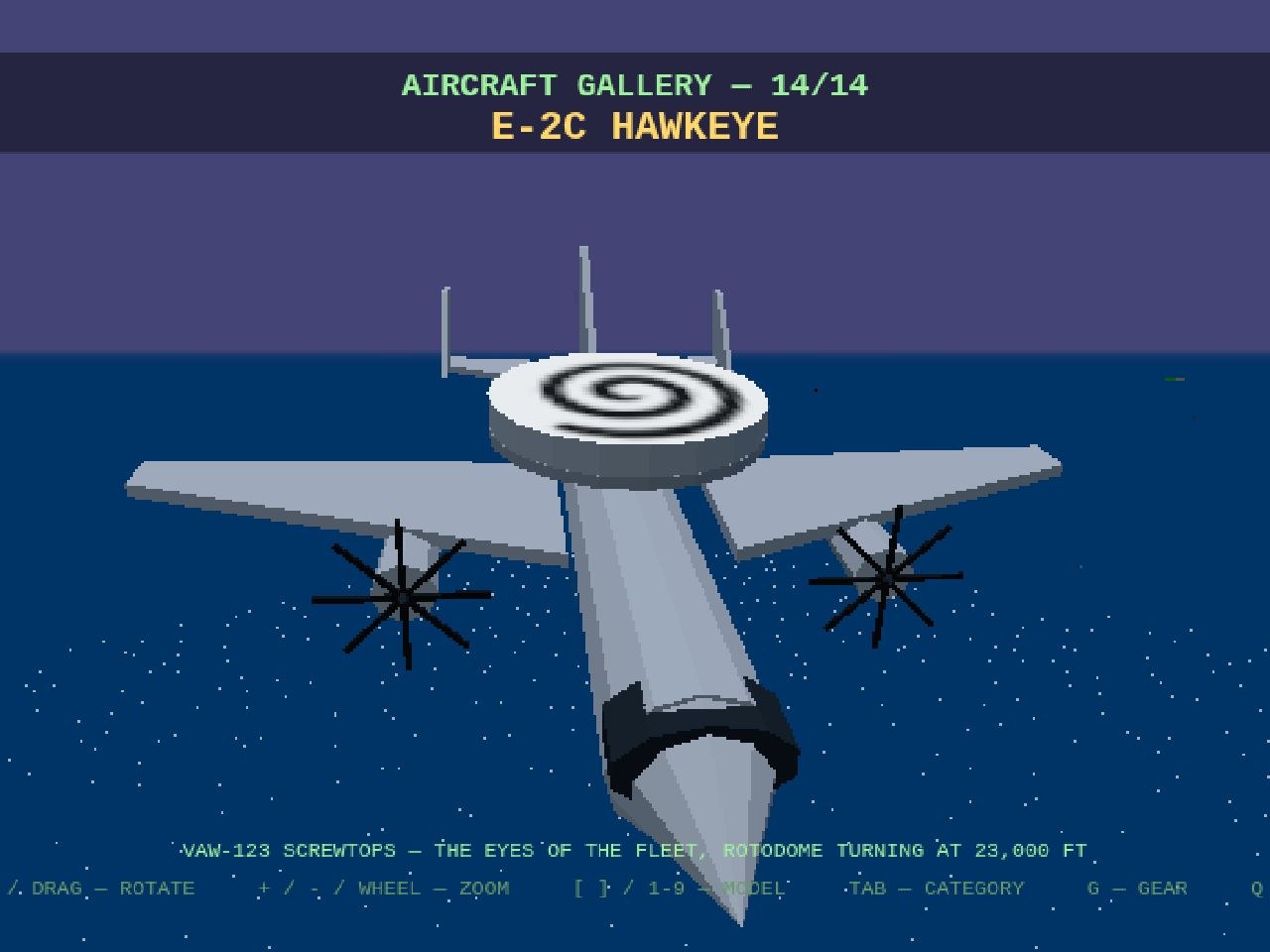
The Screwtops spiral, done right. Our first attempt wrapped a barber-pole around the rotodome’s rim — wrong bird. The real VAW-123 mark is a bold black pinwheel on the dome’s flat faces, hub to rim, two turns of corkscrew. Repainted to match: as the dome turns overhead, the swirl screws exactly like the squadron’s namesake. Top and bottom, so you can read it from below too.
Missile view. The O key now rides the newest round in the air — Sidewinder, AMRAAM or Phoenix — with the full spectate camera: SHIFT+ARROWS or right-drag to orbit it, wheel or [ ] to zoom, 0 to reframe. O again cycles every round in flight, then hands you back your cockpit. When the round resolves — splash or miss — the view lets go on its own.
The map learned everyone’s name.N now draws the whole air picture with callsigns: hostiles in red, the wingman and helicopters in green (rotorcraft get square markers — NAVY 701 on the cruiser circuit, SHUTTLE ONE and TWO working the pads), the P-3 and SCREWTOPS 601 in cyan, and every airliner in white with its flight name. One glance tells you who’s who in the bay.
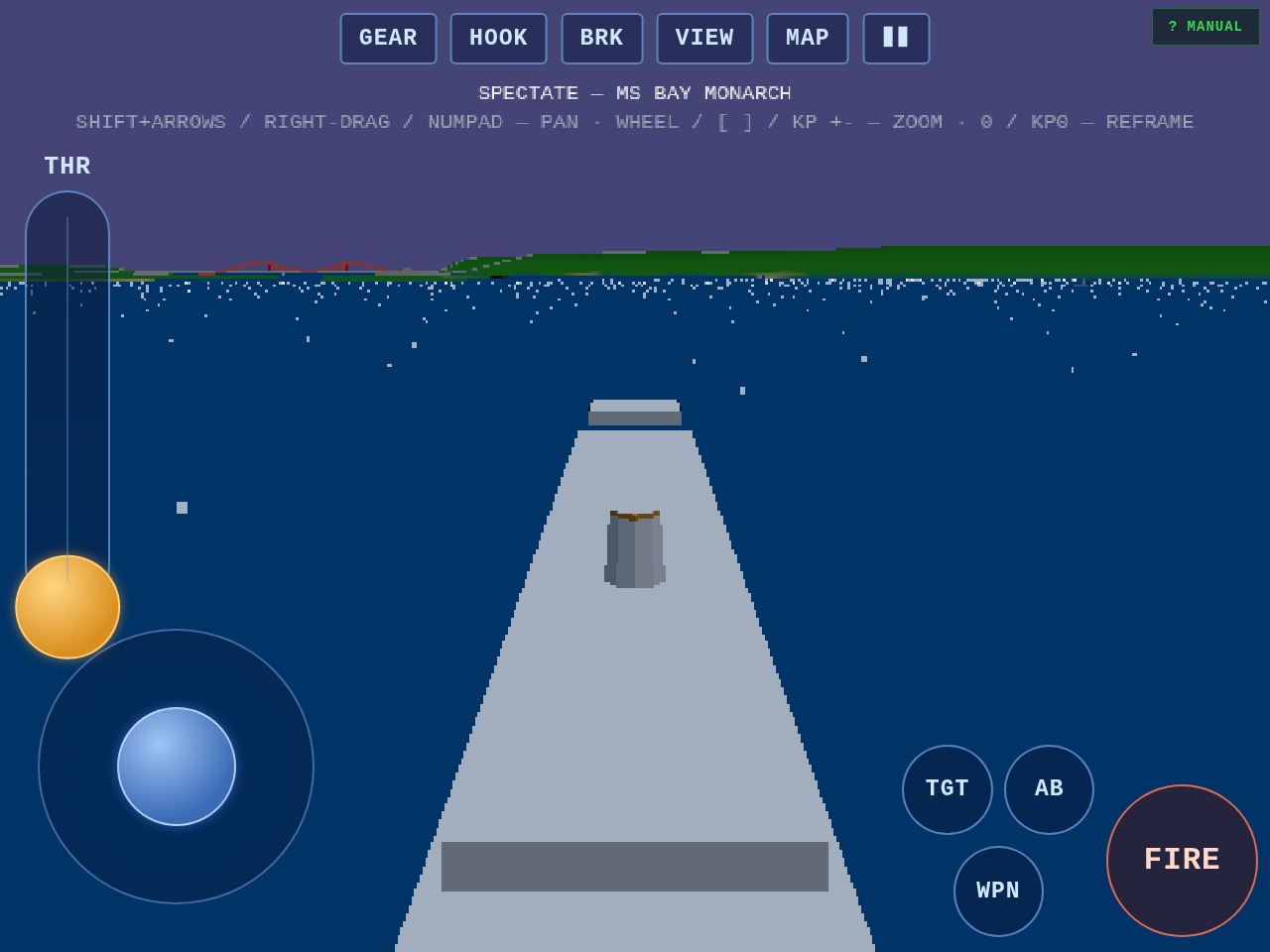
The J spectate camera now answers to the numeric keypad — the same keys the original used for its external view, so muscle memory transfers:
KP 4 / 6 pan around the aircraft or hull you’re riding, KP 8 / 2 tilt the camera up and down — the exact motions SHIFT+ARROWS and right-drag already did.
KP + / − zoom in and out (KP 9 / 3 work too, matching the original’s POV keys), joining the wheel and [ ].
KP 0 reframes — snap back to the default trailing shot, same as the top-row 0.
No friendly fire: outside spectate the keypad still drives your own jet’s external orbit view exactly as before — the two camera crews never fight over the keys, and leaving spectate never surprises you with a hijacked viewpoint.
The manual and the on-screen hint under the SPECTATE banner both list the new keys.
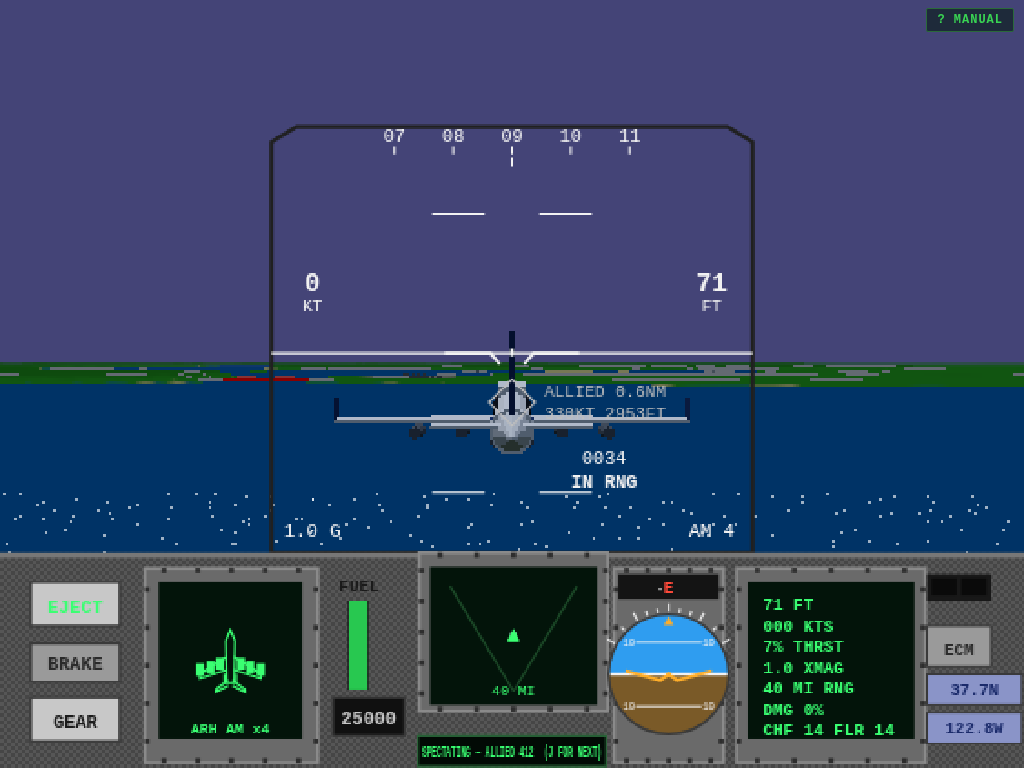
Ever wondered what the sky looks like from a cable’s length behind a 747? Press J in flight and find out: you hop out of your own cockpit and ride along with the next aircraft in the area — airliners on their routes, MiGs on patrol, tankers, wingmen, the whole cast. Keep tapping J to cycle through everyone airborne; after the last contact you’re handed back to your own cockpit, and V or X brings you home instantly at any point. If your ride gets splashed or leaves the area, the camera lets go and you’re back in your own seat — no falling out of the sky required.
Press U to make the HUD vanish entirely — clean screenshots, clean footage, just you and the view — and again to bring every gauge back. And the fuel trucks have been generous one more time: burn is halved again, with the Hornet sipping 20 at military power and 47.5 in burner (the Falcon 18.75/43.75), so the long haul out to the fleet no longer ends as a glider lesson. Both keys are written up in the in-game manual (?), as regulation requires.
A pilot request, granted on the spot: X snaps you straight back to the cockpit from any camera — chase, orbit, tower — without cycling the whole carousel with V. The two keys sit side by side for a reason: V wanders out, X comes home. The flight manual says so, in writing.
Radar range now steps the way a pilot actually fights: it starts wide at 40 miles and each tap of R tightens the noose — 40, 10, 2, and back around to 40. Fuel burn has been halved again, roughly doubling your legs: loiter far, chase long, and still make the deck with something in the tanks. And when it all goes wrong — crash or eject — there’s no paperwork anymore: the wreck settles, your best score is banked, and you’re back at the menu ready to launch the next one.
Also aboard: a console chirp when you pause or call up the menu, so the bay answers when you ask it to hold — and the aircraft gallery swells to eight, with all four airliners in their house liveries, so you can get a proper look at the traffic before you try very hard not to shoot it.
A pilot reported the trap: mid-mission you hit Q to call up the main menu — and there was no way back. The menu slammed down over the cockpit and the only way out was to abandon the sortie and relaunch. The sortie itself was never the problem — your jet waits exactly where you left it while the attract demo borrows the camera — the menu just never offered the way back.
Now it does, two ways. Quit to the menu with Q and you’ll find a new top entry: Q — RESUME FLIGHT, tagged BACK IN THE COCKPIT. Hit Q again (or click it) and the menu folds away mid-frame, mission intact, hands back on the stick. The flag clears the moment you launch a fresh sortie, so there’s no ghost resume waiting after you’ve moved on. The subtle part of the fix: the resume key is polled in the frame loop rather than fired from the key event itself — otherwise the same keypress gets seen by both states and bounces you straight back out to the menu. Fifty-one checks green, and the Bay forgives an accidental Q.
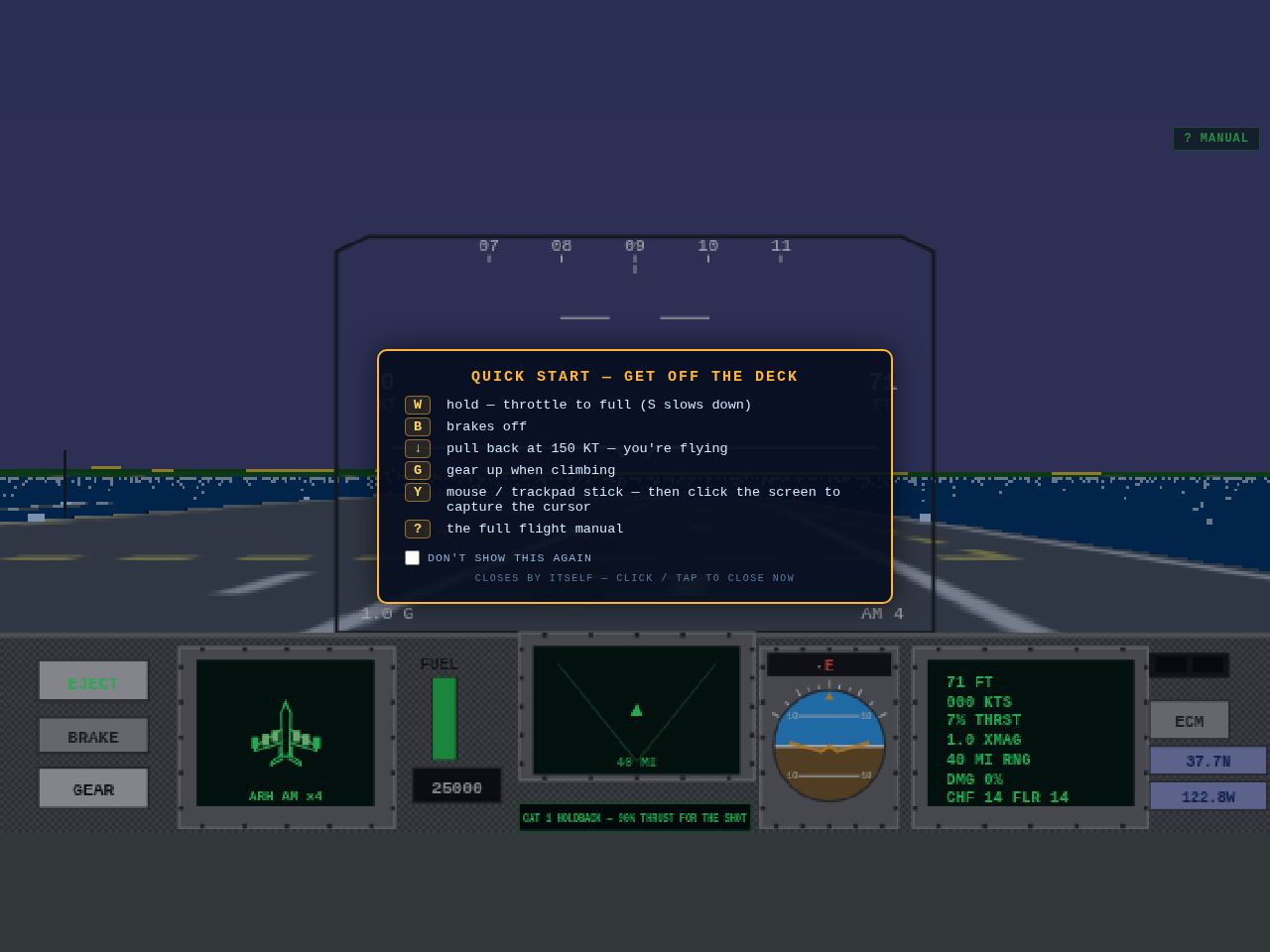
First feedback from a new pilot on a MacBook: "can't get off the ground." Fair — the sim never told you how. Three fixes. Every launch now opens a quick-start card with the handful of keys that get you airborne (W to firewall the throttles, B brakes off, pull back at 150 knots, G gear up, ? for the full manual) — it fades by itself, closes on a click, and has a don't-show-again tick for veterans. The DEMO menu item actually demos now: it hides the menu and plays the attract loop full-screen until any key brings you back (previously it did exactly nothing, since the demo jet was already flying behind the menu). And the mouse stick grows up: press Y, then click the screen to capture the cursor — pointer lock turns relative movement into stick deflection, which is how the Amiga original flew and, crucially, the only way a trackpad can.
Three fixes in one pass. The gun simply ignored SPACE — only the mouse trigger worked, because the fire code never looked at the keyboard for the Vulcan. Now SPACE and ENTER both fire the selected weapon (hold either for a burst), so weapon select moves to TAB, with 1 / 2 / 3 jumping straight to AMRAAM, Sidewinder or gun. And the tracers themselves are rebuilt: the old bolts were pencil-thin and effectively invisible from the cockpit, so each round now flies as a fat glowing bolt that reads day or night.