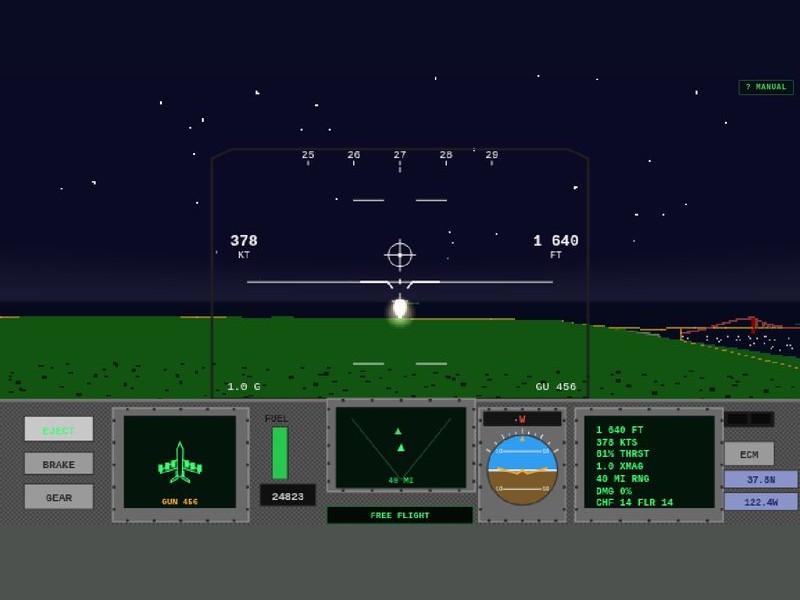
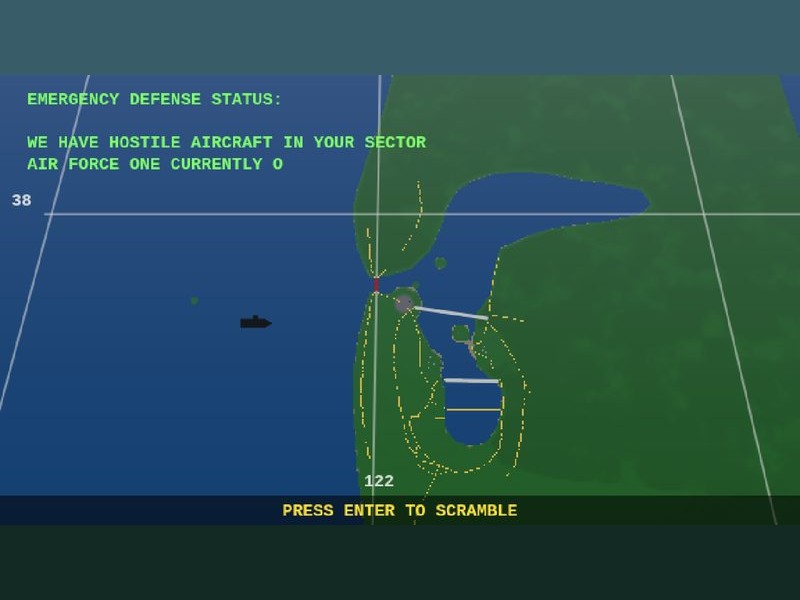
Sharp eyes again: after the vertical climb, helicopters used to porpoise their way along the route — easing up and down between waypoints that each carried a slightly different altitude, with a hover-wobble layered on top. Fixed from three directions:
One altitude, held. The cruise is flown at a single flight level — waypoint heights no longer tug the airframe up and down. Descent is saved for the final leg and the landing, exactly as it should be.
The wobble stays in the hover. The little sinusoidal bob now only plays during the landing settle — the climb and the cruise are rock steady. Measured in flight: less than half a metre of spread across an entire circuit.
K-MAN gets more sky. His police orbit over the city sat one metre above the tallest hill’s ground clearance, so the terrain floor kept kicking him upward. The orbit moves to 420 metres — comfortably over everything San Francisco can grow.
A sharp-eyed inspection of the print files found stowaways: the Hornet and Falcon STLs were shipping with their landing gear still down. Fixed:
The bug. The exporter hides the gear, hook and afterburner groups before triangulating — but the triangle walk only checked each mesh’s own visibility flag, and children of a hidden group kept their own flags set. The renderers hid the subtree; the file didn’t.
The fix. The walk now checks visibility all the way up the ancestor chain. The F/A-18 STL dropped from 58 KB to 29 KB and the F-16 from 50 KB to 21 KB — half the file was wheels.
Every file regenerated. All 22 models re-exported, every zip repacked (PRINTING.txt unchanged — scales and sizes never moved), and the free fishing-boat sample refreshed too. Only the two fighters were affected, but the whole fleet got a fresh, verified build.
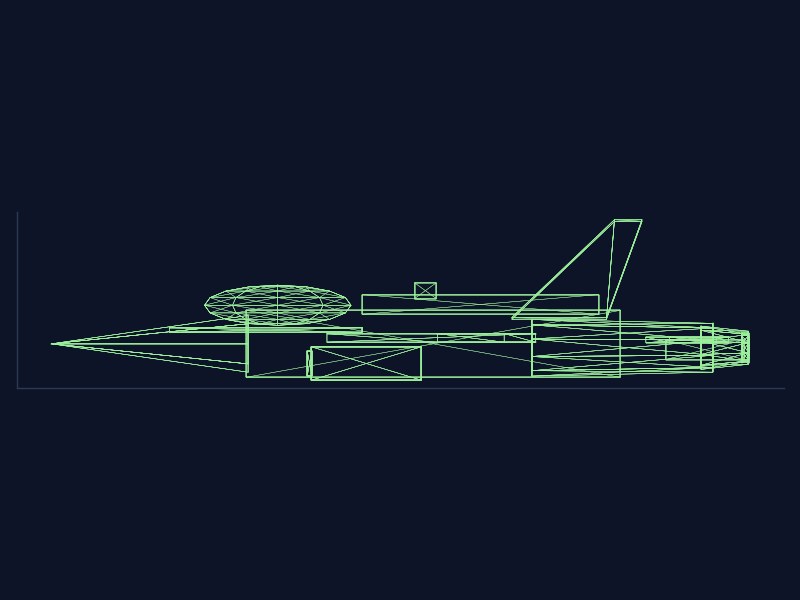
Verified on the plate. Side-view wireframes of the new files show the fuselage belly sitting flush at z=0 with nothing hanging below — ready to print wheels-up, as the box always promised.
A batch of details that were bugging the flight line — features first:
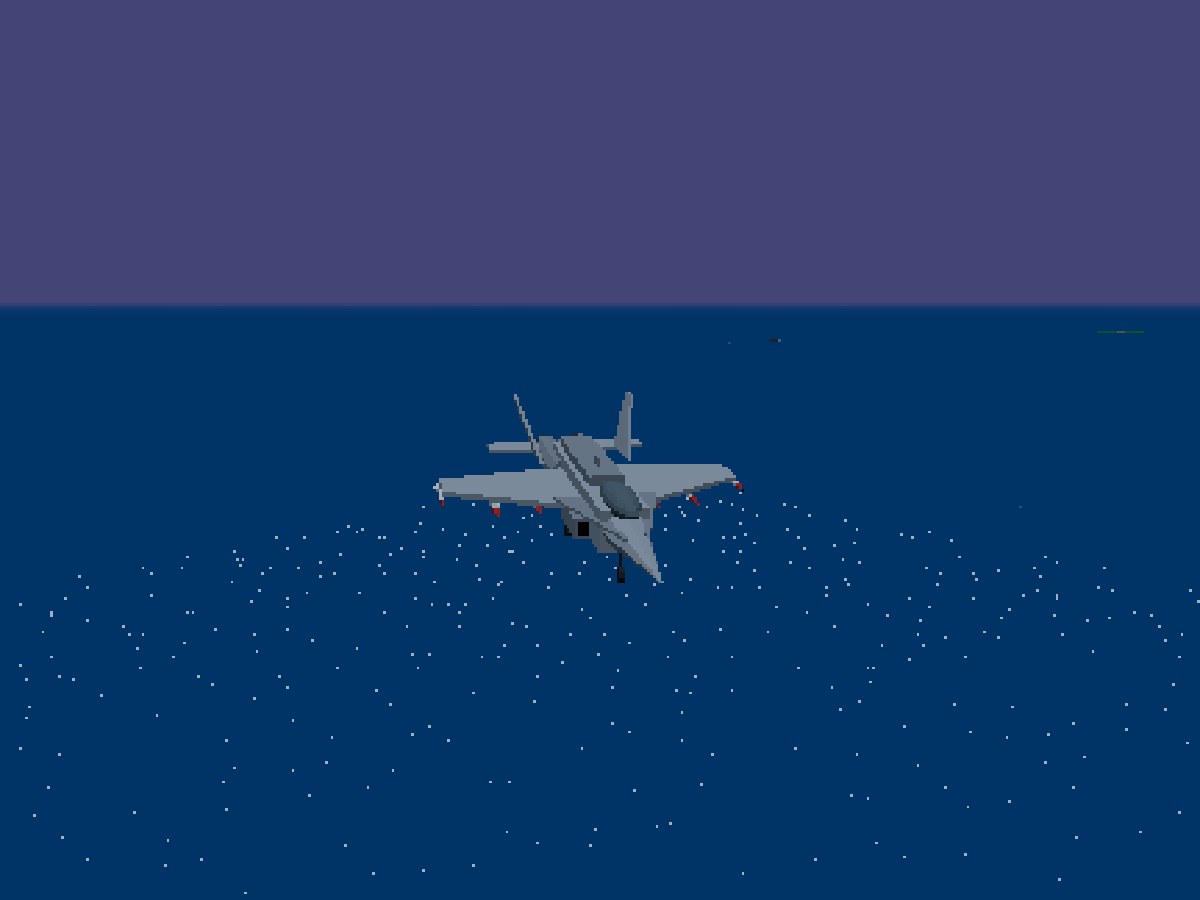
Gallery gear toggle. Aircraft in the showroom now pose wheels-up by default, and G drops the gear (and raises it again) on anything that has wheels to show.
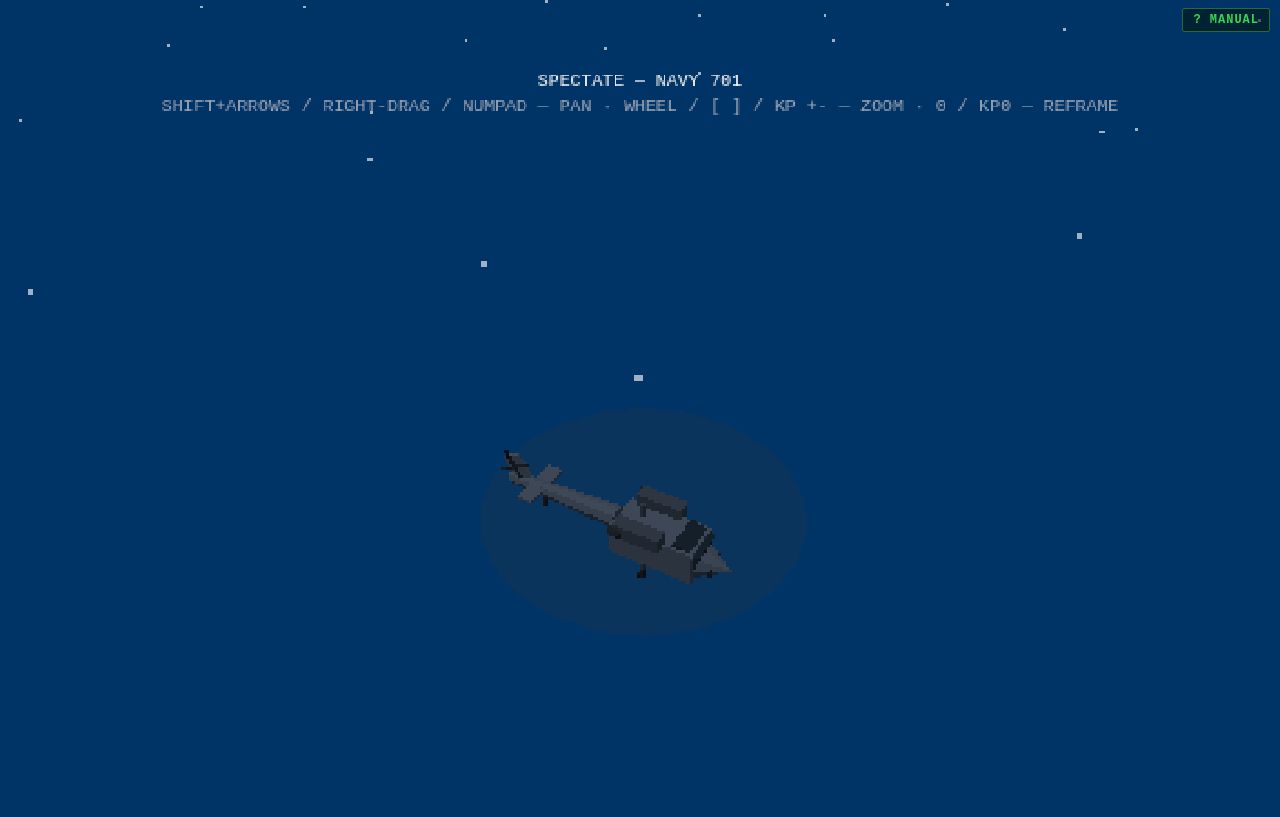
Spectate everything.J no longer stops at aircraft — it rides every contact in the bay, nearest first: airliners, MiGs, yachts, freighters, the supertankers, the escorts, and the Big E herself. While spectating, SHIFT+ARROWS or RIGHT-DRAG pans and tilts around the subject, WHEEL or [ ] zooms, and 0 reframes.
Pause means silence. Holding the sim with P now suspends the entire audio graph — engine, lock tones, gatling, weather, all of it — and releasing the pause brings it straight back.
And the fixes:
AI aircraft finally retract their gear. Any gear-equipped AI jet used to fly the whole sortie with its wheels hanging out — gear now comes down only on the ground and on final, and goes up the moment they’re airborne.
SFO’s south end is clear. Three terminal and hangar blocks overlapped the southern stretches of the 01L/01R strips; they’ve been shifted off the pavement. No more clipping a building on short final.
Menu titles cleaned up. The F1–F7 and ESC badges are gone from the MISSIONS rows — the keys work exactly as before, the titles just stopped shouting them.
Analytics were homepage-only. The GA tag only ever loaded on the front page, so every blog entry, tag page, the store and the assets shelf were invisible to it. The tag now ships on every page, through a loader that’s ready for Google Tag Gateway — it tries the first-party path first and falls back to Google’s CDN until the gateway is switched on.
The mission desk wants numbers, so numbers it gets — a proper analytics dashboard, plus the plumbing that feeds it:
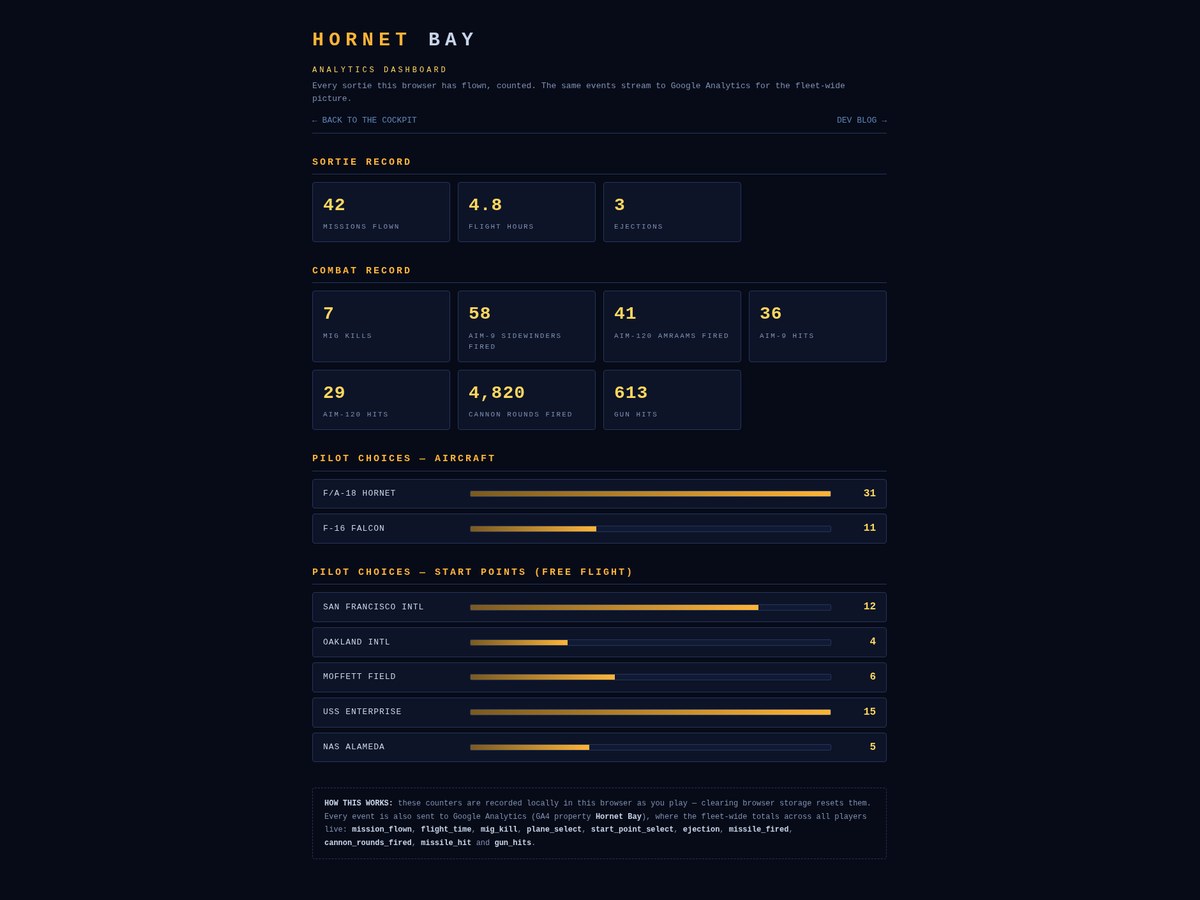
New dashboard at /analytics, styled to the squadron: SORTIE RECORD (missions flown, flight hours, ejections), COMBAT RECORD (MiG kills, AIM-9 and AIM-120 fired, hits by type, cannon rounds, gun hits) and PILOT CHOICES — Hornet versus Falcon picks, and how often each free-flight start point gets the nod, bars and all.
Every metric is counted as you play. Missions, flight time, MiG kills, plane and start-point selections, ejections, missiles by type, cannon rounds, missile hits by type and gun hits are all tracked live and kept between sessions. One honest caveat: the dashboard reads the counters in your browser — clear your storage and your record starts over.
Every metric also fires as a Google Analytics event — mission_flown, flight_time, mig_kill, plane_select, start_point_select, ejection, missile_fired, cannon_rounds_fired, missile_hit and gun_hits — so the fleet-wide picture across all players builds in the GA4 property. High-frequency streams (flight seconds, cannon rounds, gun hits) batch up and report once a minute and at the end of every sortie; the rest report the moment they happen.
ANALYTICS DASHBOARD is a main-menu item (key A, opens in a new tab) — and DEMO has left the menu; the attract loop still runs behind the menu as always, it just no longer takes up a row.
Two menu-router bugs surfaced while wiring all this up, and both are fixed:
One keypress was being spent twice. Hitting 2 for FREE FLIGHT used to open the start-point map and — in the very same instant — let that same 2 fall through to the map and pick Oakland for you. The menu now swallows any key it consumes.
F1–F7 work in MISSIONS again. The rows always said F1, F2, F3… but the keyboard router wasn’t listening for F-keys — mouse or nothing. Now the keys do what the badges promise.
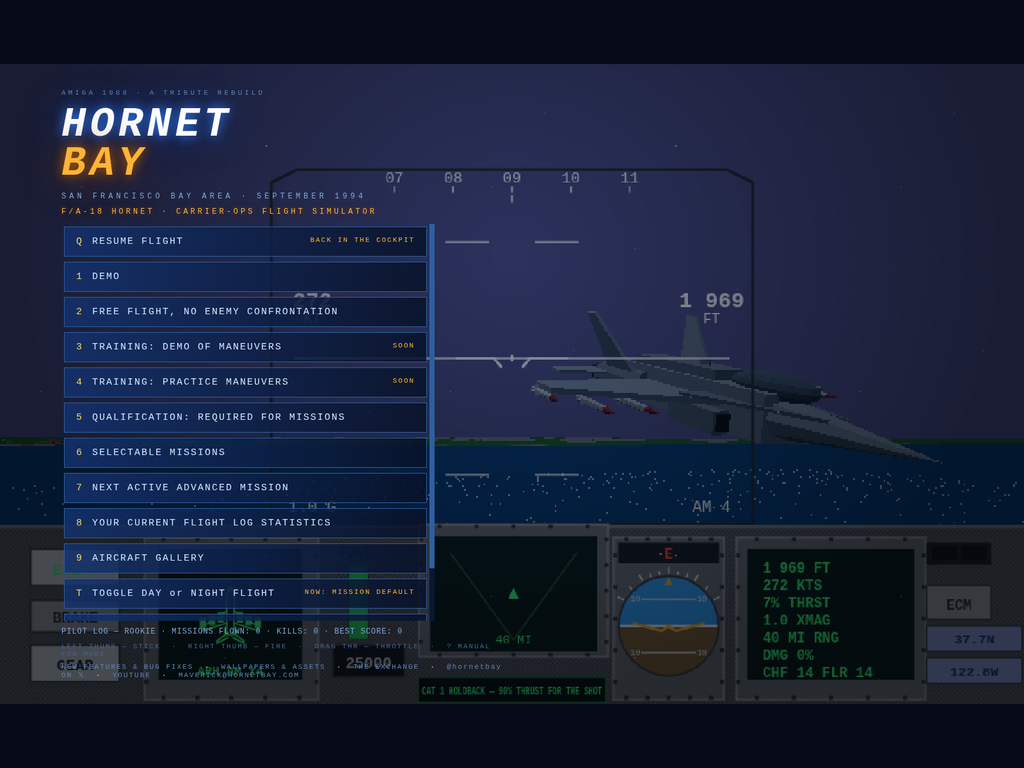
A pilot reported the trap: mid-mission you hit Q to call up the main menu — and there was no way back. The menu slammed down over the cockpit and the only way out was to abandon the sortie and relaunch. The sortie itself was never the problem — your jet waits exactly where you left it while the attract demo borrows the camera — the menu just never offered the way back.
Now it does, two ways. Quit to the menu with Q and you’ll find a new top entry: Q — RESUME FLIGHT, tagged BACK IN THE COCKPIT. Hit Q again (or click it) and the menu folds away mid-frame, mission intact, hands back on the stick. The flag clears the moment you launch a fresh sortie, so there’s no ghost resume waiting after you’ve moved on. The subtle part of the fix: the resume key is polled in the frame loop rather than fired from the key event itself — otherwise the same keypress gets seen by both states and bounces you straight back out to the menu. Fifty-one checks green, and the Bay forgives an accidental Q.
A five-line punch list from the cockpit, worked line by line. First, the roads: by day they were rendering in a loud yellow — fine for a centreline at midnight, wrong for asphalt under the California sun. Road ribbons are now dark asphalt gray with muted gray edge lines and centre dashes, still dimming with the sun at dusk, and from altitude they read as proper highways again instead of glowing spaghetti. The menu footer grew too: the HornetBay YouTube channel and a contact address ([email protected]) now sit alongside the journal and X links.
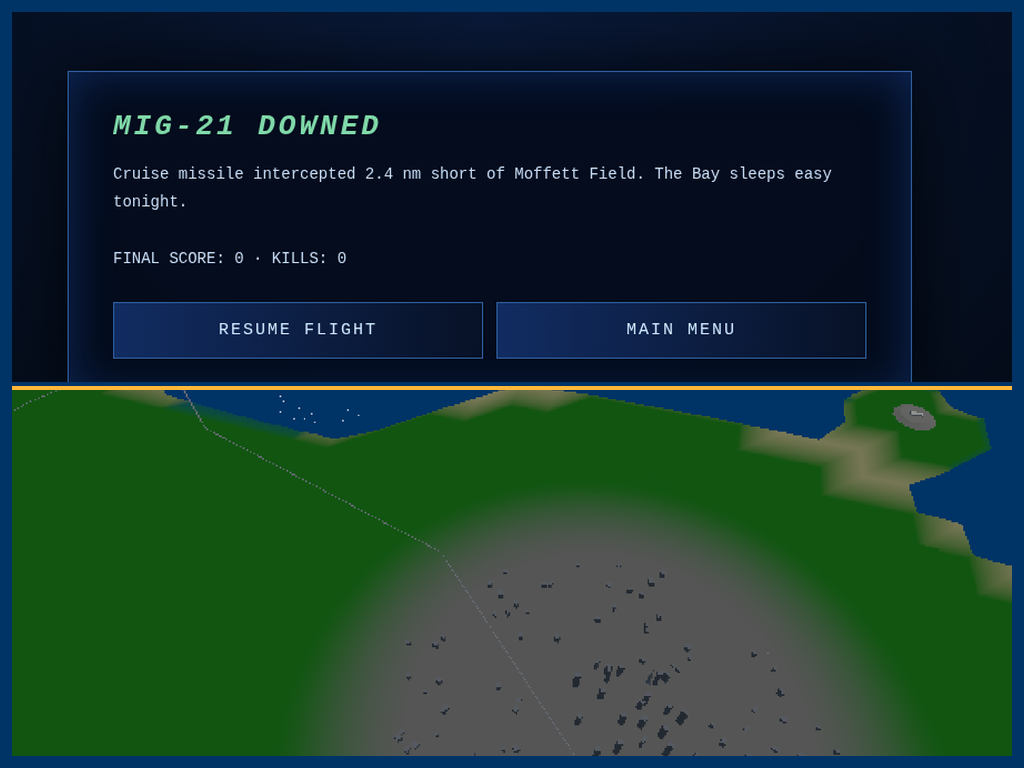
The nastiest item was a trap waiting after mission success: bag the cruise missile bound for Moffett, read the MISSION SUCCESS debrief, close it — and the main menu slammed down over the world with no way back to your jet. The debrief simply never handed control back to the sim. Now it does: a RESUME FLIGHT button (or Enter, Space or Escape) folds the debrief away and drops you straight back into free flight over the world you just saved; MAIN MENU remains if you’re done for the day. Chasing this one exposed a sneakier accomplice — the service worker’s cache could pin an old build, so fixes weren’t always reaching installed copies. The worker now revalidates with the server on every load: what ships is what you fly.
And maritime law is now enforced: every ship, boat and pleasure craft stays in the blue water, never on the green. The traffic routes had been plotted against the wrong chart datum — the sea surface sits a touch below the terrain’s zero mark, so two legs that looked wet on paper actually clipped a drying shoreline and parked sailboats on the Sausalito shallows. Every route was re-plotted against the game’s own ground truth with the corrected waterline and a wide safety margin, then swept waypoint by waypoint. Twelve hulls, all wet, all day and night.
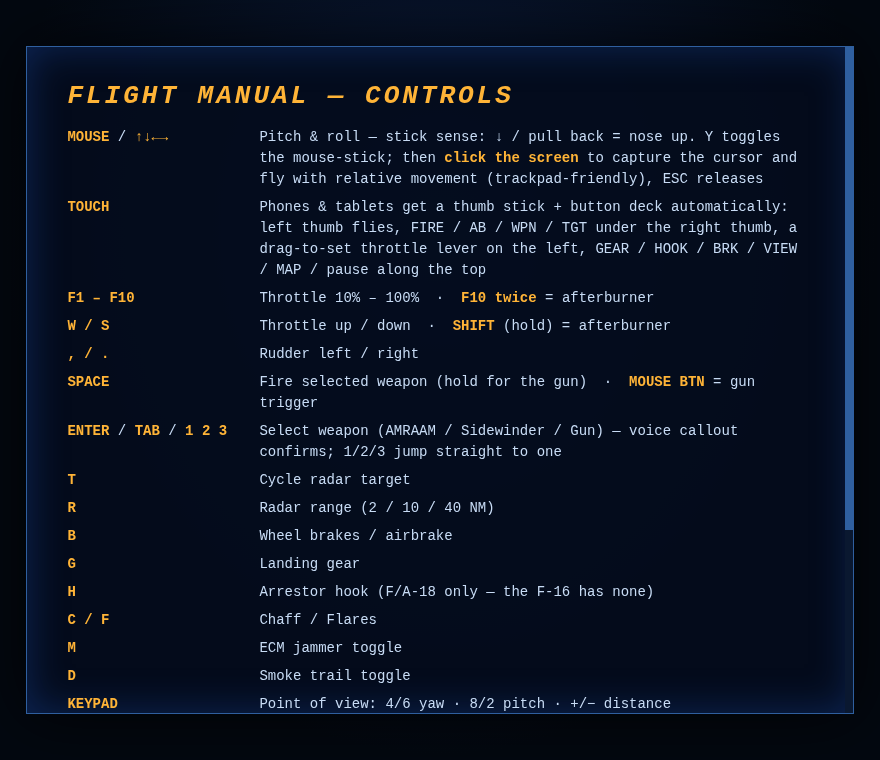
A sharp-eared pilot report: "Both ENTER and SPACE fire the weapons. Also, what happened to the audio when weapons selected?" One regression, two symptoms. At some point ENTER had been wired up as a second fire key and weapon selection was shuffled off to TAB — which meant that anyone reaching for ENTER, the Amiga original's weapon key, got a missile in the face instead of a menu. And the selection voice callout ("GUNS" / "SIDEWINDER" / "AMRAAM")? Never broken — the samples are all there and the path works — but the select code only runs when you select, and ENTER users were busy accidentally firing instead. Restored to spec: ENTER cycles weapons (with the voice callout confirming what's live), SPACE fires, TAB kept as an alias and 1/2/3 still jump straight to a weapon. Menu hint line and flight manual updated to match, verified on the harness — ENTER cycles aim120 → aim9 → gun with zero missiles leaving the rails — and the full touch gate re-run at 51/51.
Second field report from the iPhone: "I selected free flight, rotated my device as instructed, and nothing changed — the animation continued to animate." Two bugs in one sentence. Bug one: the pilot was able to select FREE FLIGHT while the blocking overlay was up — it turned out the overlay lived inside #touch-ui (z-index 12), which stacked it below the menu (z-index 20), so in menu state the "blocking" overlay ghosted underneath and taps fell straight through to the buttons. It's now a direct child of the body where its z-60 genuinely tops every gameplay layer, in every state — and the suite gained a regression check that pokes a menu button through the overlay to prove it. Bug two is sneakier: with iOS Portrait Orientation Lock on, rotating the phone never changes the browser viewport at all — the page stays portrait, the overlay keeps spinning, and the pilot is stuck with no idea why. The page can't see the lock switch, so the overlay now says it out loud: sit on the overlay for six seconds and a hint fades in — "STUCK ON THIS SCREEN? YOUR ROTATION LOCK IS PROBABLY ON — Control Center → tap the lock icon" — plus a TAP HERE affordance that requests motion-sensor permission; once the gyro is readable, physically rotating to landscape while the viewport stays portrait lights the hint up in pulsing amber. No sensors, no problem: the static hint still points at Control Center. Full gate: 43/43.
A field report from an iPhone: load the site, rotate as instructed, game crashed. We can't reproduce WebKit in the lab, but the failure shape is a known iOS classic — rotating the device kills or starves the WebGL context, and every iOS generation has its own flavor of it (the canvas-resize memory leak of iOS 14, the context-loss waves of 16.7/17/18). Our code made it worse in two ways: it resized the GL canvas on every resize event — and iOS fires a storm of them mid-rotation with stale geometry — and it had no handler for the context actually dying, so the canvas just went black and stayed dead. From the pilot's seat: crashed.
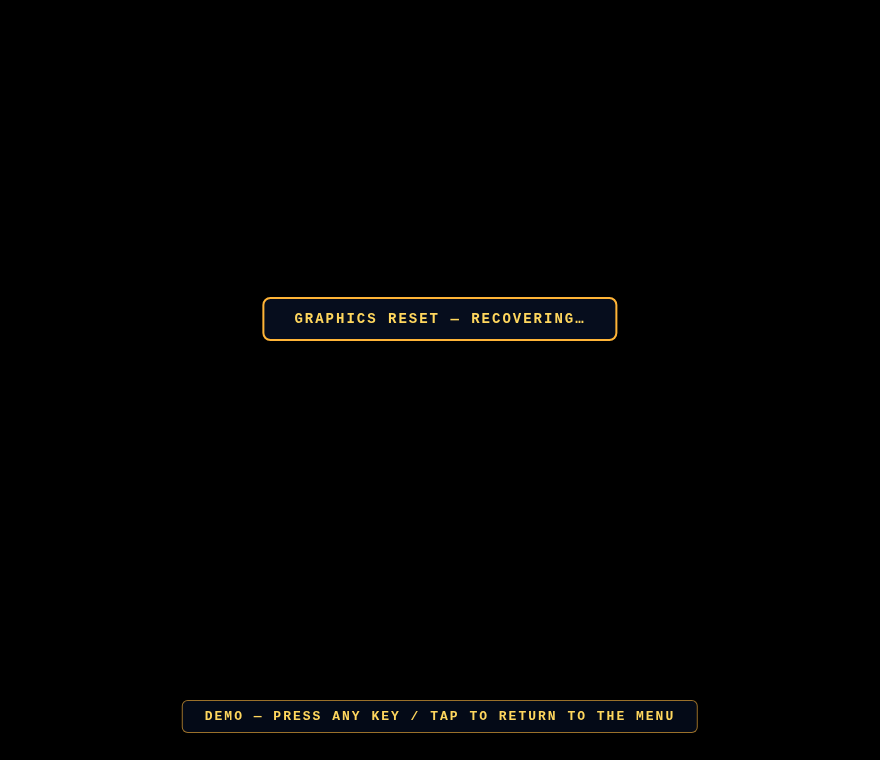
Two fixes, both verified on the virtual device by forcibly killing the context with the WEBGL_lose_context extension. One: resizing is now debounced and rotation-safe — the geometry storm settles for 180ms (450ms after an orientation change, iOS lands its final dimensions late) before a single canvas re-allocation, degenerate zero-size frames are skipped, and the camera aspect is clamped so a NaN can never poison the projection matrix. Two: a proper context-loss handler — the browser is asked to restore, a GRAPHICS RESET — RECOVERING banner (above) keeps the pilot informed, and if the GPU doesn't come back within four seconds the page reloads itself cleanly instead of sitting dead. Full touch gate re-run after the surgery: 41/41. If you were the pilot who hit this — thanks for the report, and wheels up.
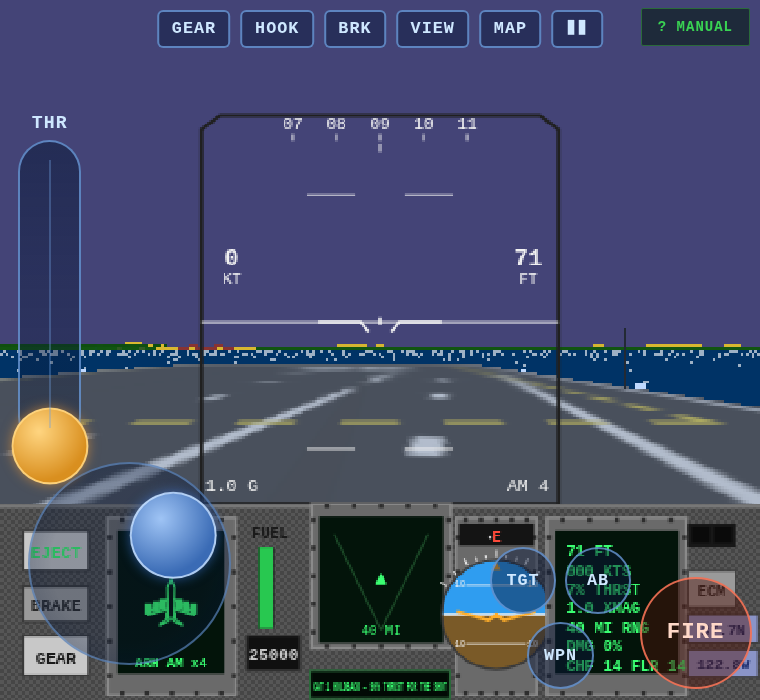
Verdict on the first touch build: needs work — so it got a proper shakedown on an emulated phone (CDP touch emulation + real touch events, not just screenshots). The hunt found three real bugs and one ergonomic crime. THR+/− never worked: the stick's grab zone painted over the throttle buttons and ate every touch — and even fixed, hold-buttons were the wrong idea anyway, so the throttle is now a proper drag-to-set lever: drag it to full, it stays, both thumbs free for the takeoff roll. The DEMO attract ate your next tap: the exit tap's leaked compatibility click landed on whatever menu button sat beneath it; the menu now re-shows a beat later so the stray click dies on the canvas. And the action cluster is tucked tight into the corner so it covers less of the radar display. The full loop — menu, attract, map, plane select, skip, quick-start, throttle, brakes, stick, weapons, gun burst, gear, views, pause, portrait nag, quit — now passes 35/35 scripted touch checks before every deploy.
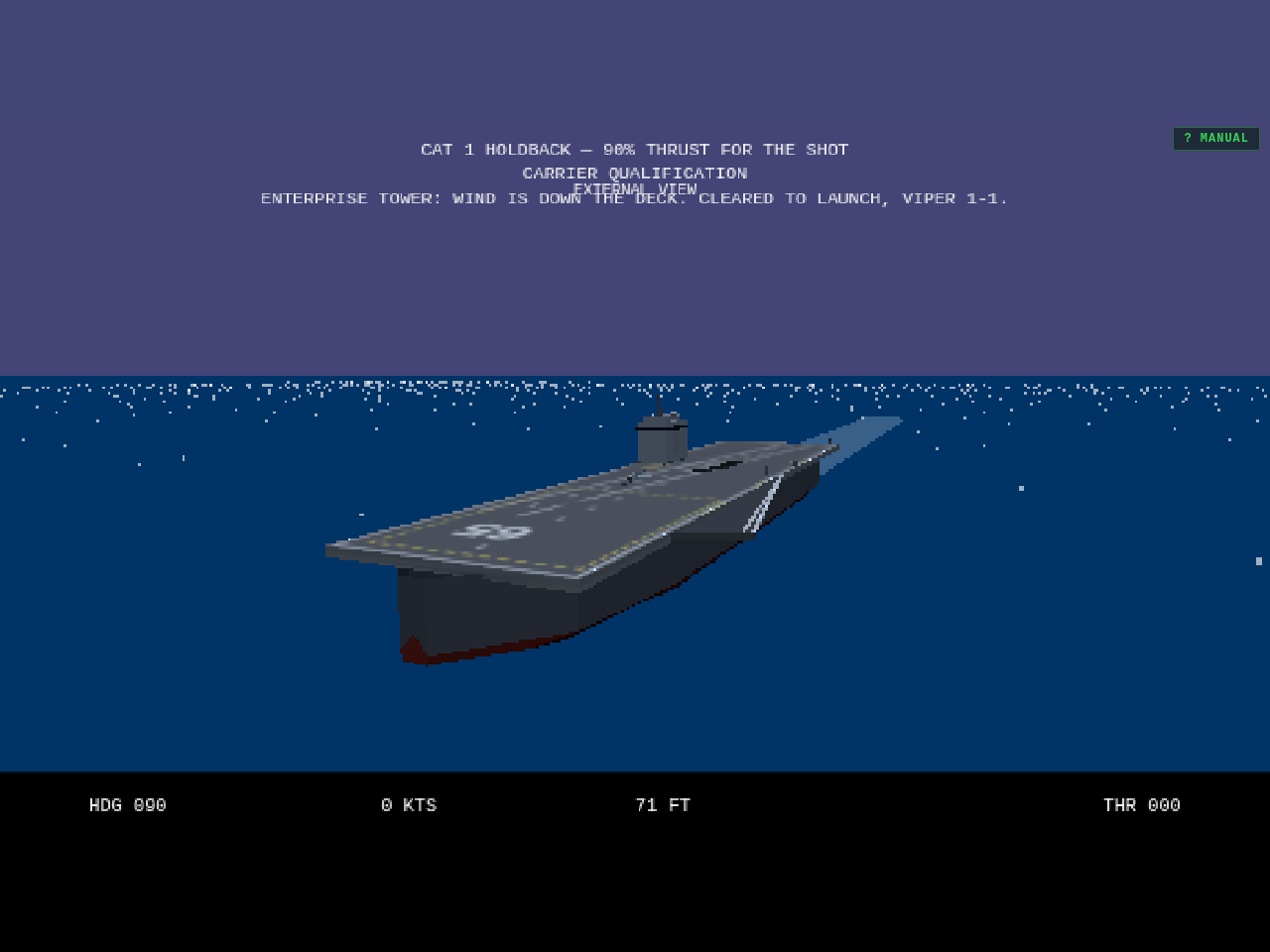
Three carrier truths restored. The painted angle deck ran to starboard — the deck texture was mirrored, so the strip drifted toward the island instead of away from it; it now angles to port, agreeing with the sponson, the wires and the meatball. The island itself is rebuilt as CVN-65's signature flat-roofed box with billboard radar panels and just a small mast, and it's moved aft of midships where the Enterprise carries it — from the catapult shuttle the bridge now sits 80 metres behind you, out of sight, instead of looming ahead-right. And the journal has a real home: hornetbay.com/blog, with every entry living at its own permalink (this one is /blog/enterprise-island-blog). Old changelog.html links redirect; RSS and the search engines get a sitemap.xml and robots.txt for the asking.
Three fixes in one pass. The gun simply ignored SPACE — only the mouse trigger worked, because the fire code never looked at the keyboard for the Vulcan. Now SPACE and ENTER both fire the selected weapon (hold either for a burst), so weapon select moves to TAB, with 1 / 2 / 3 jumping straight to AMRAAM, Sidewinder or gun. And the tracers themselves are rebuilt: the old bolts were pencil-thin and effectively invisible from the cockpit, so each round now flies as a fat glowing bolt that reads day or night.
Bug fix: with rain selected, the briefing and plane-select maps were being swallowed by the weather — rain streaks and storm murk over the planning view. The satellite map now stays crisp and readable whatever the forecast; the weather only starts when you do.
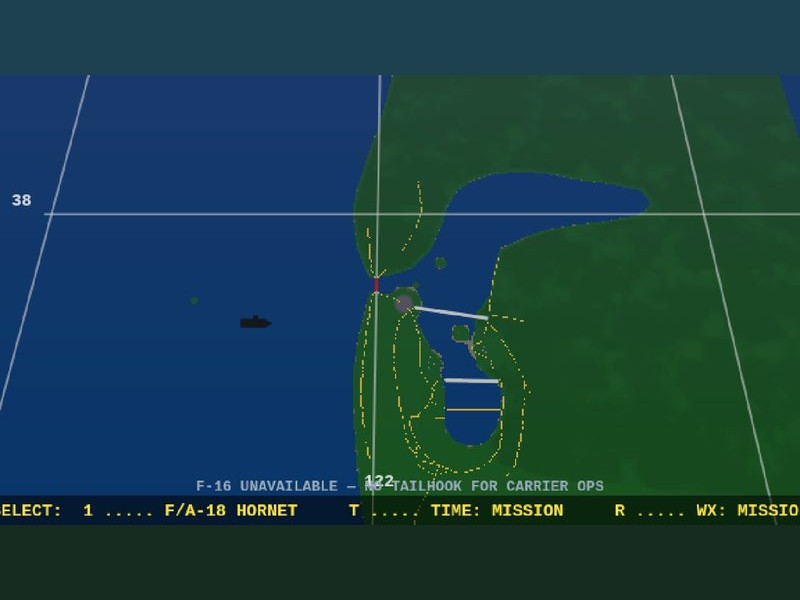
Fuel burn was punishingly high — it's now halved for both jets, roughly doubling your time in the air. And the carrier plane-select no longer offers the F-16: with no tailhook it can't work the boat, so the option is gone (and the dormant hook mesh removed from the model) instead of biting you on launch.