Sideways mode & the home-screen app: rotation lock can no longer stop you 29ed27a
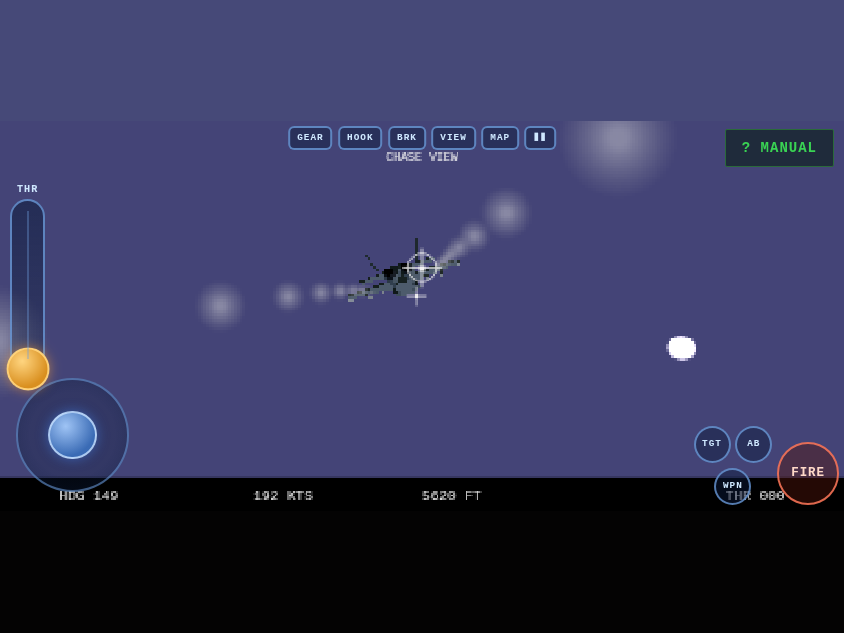
Third report from the iPhone pilot: motion permission granted, still stuck on ROTATE YOUR DEVICE. Verdict: iOS Portrait Orientation Lock was holding the WebView portrait, and no web page — ours, or a from-scratch rewrite — can override that switch. Even a home-screen PWA can't: Apple ignores the manifest's orientation member. So instead of fighting the lock, the game now ignores it. Once the gyro (permission-gated on iOS, one tap) reports the phone is physically landscape while the viewport is stuck portrait, sideways mode engages: the entire game — canvas, HUD, menus, touch controls — is laid out as landscape and spun 90 degrees inside the portrait viewport with CSS. Touch input is mapped through the same rotation, so the throttle lever and stick read true. Hold the phone sideways, rotation lock on or off, and you fly. Turn it upright and the rotate overlay returns. Hysteresis plus a 300ms settle keep it from flip-flopping in your hands.
And the "separate mobile app" question got its proper answer: Hornet Bay is now installable. There's a real manifest, home-screen icons, standalone display (no browser chrome), and a service worker — network-first for code so deploys land instantly, cached art for offline. On Android the manifest's landscape orientation gives a true OS-level lock; on iOS, sideways mode covers the gap Apple left. Bonus while the hood was open: a screen wake lock keeps the display from dozing off on final approach. The emulated gate now streams synthetic gyro data and verifies the whole sideways flow — engage, suppress the overlay, swap the canvas to landscape dims, rotated throttle drag, release — 51/51.